All apps Ronin app icon

Ronin

A time tracker with daily goals and belt ranks

Ronin times the tasks you spend your day on and shows the totals by day, week, month or any date range. It suits freelancers splitting time across clients and anyone putting regular hours into a skill.

macOSiOSAndroidWebWorks offline
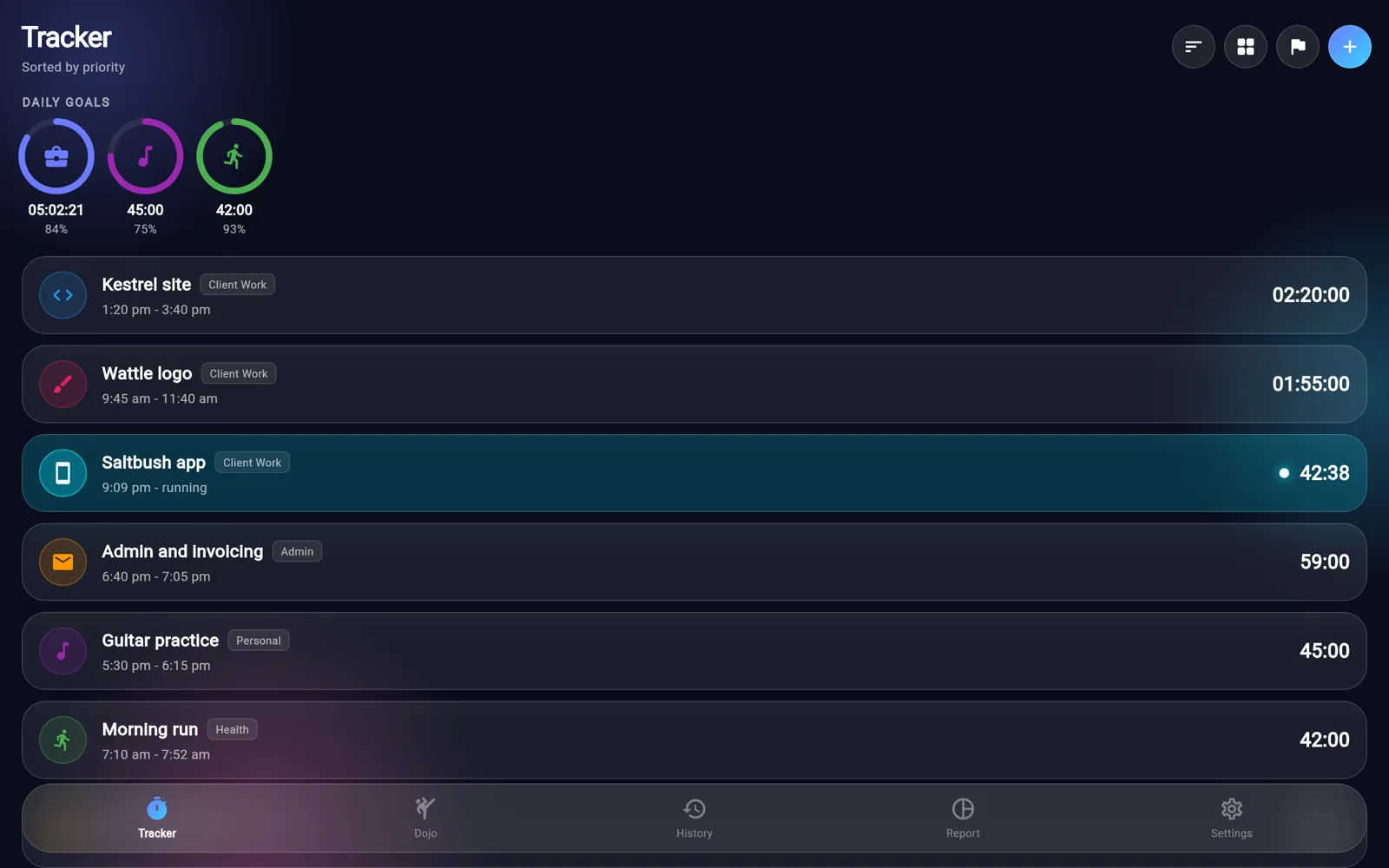
Ronin on desktop
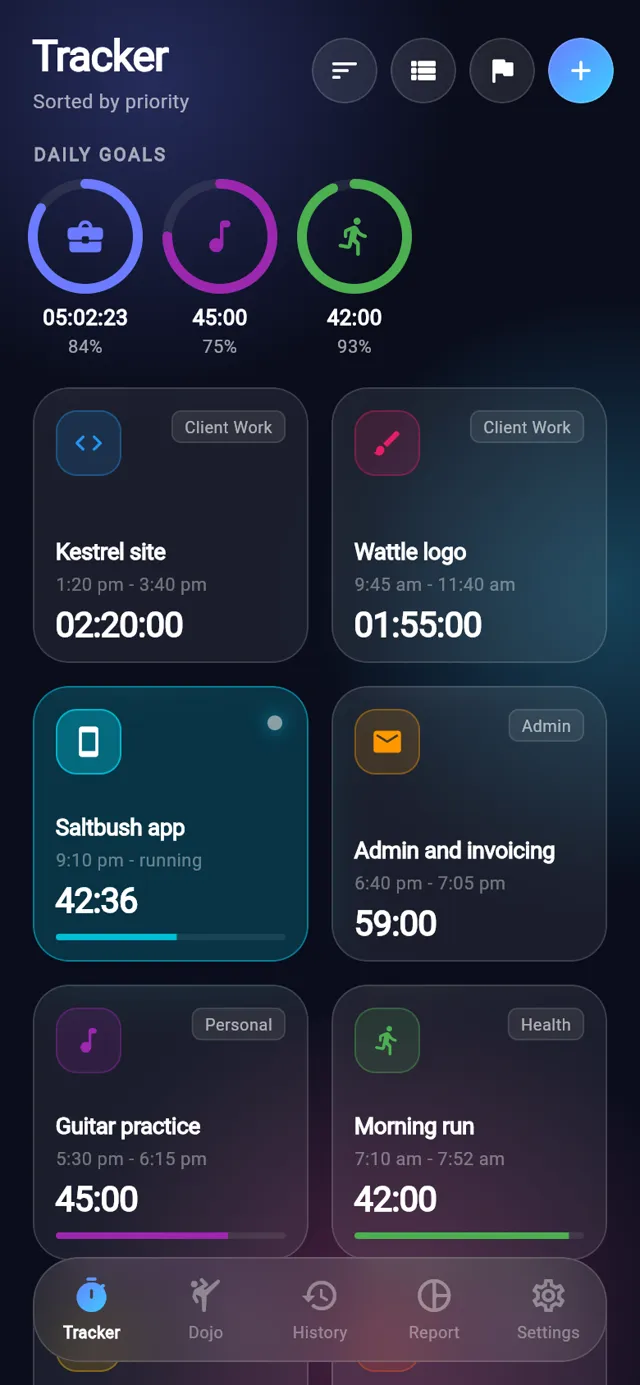
Ronin on a phone
18belt ranks
10,000hours to Black 10th Dan
6report periods
180task icons
01Features

What it does

Every change is saved to a local database first, so timing works offline, and once you sign in it syncs to Ronin's own server and your other devices, queuing changes until you are back online.

01Tracker

One tap starts a timer

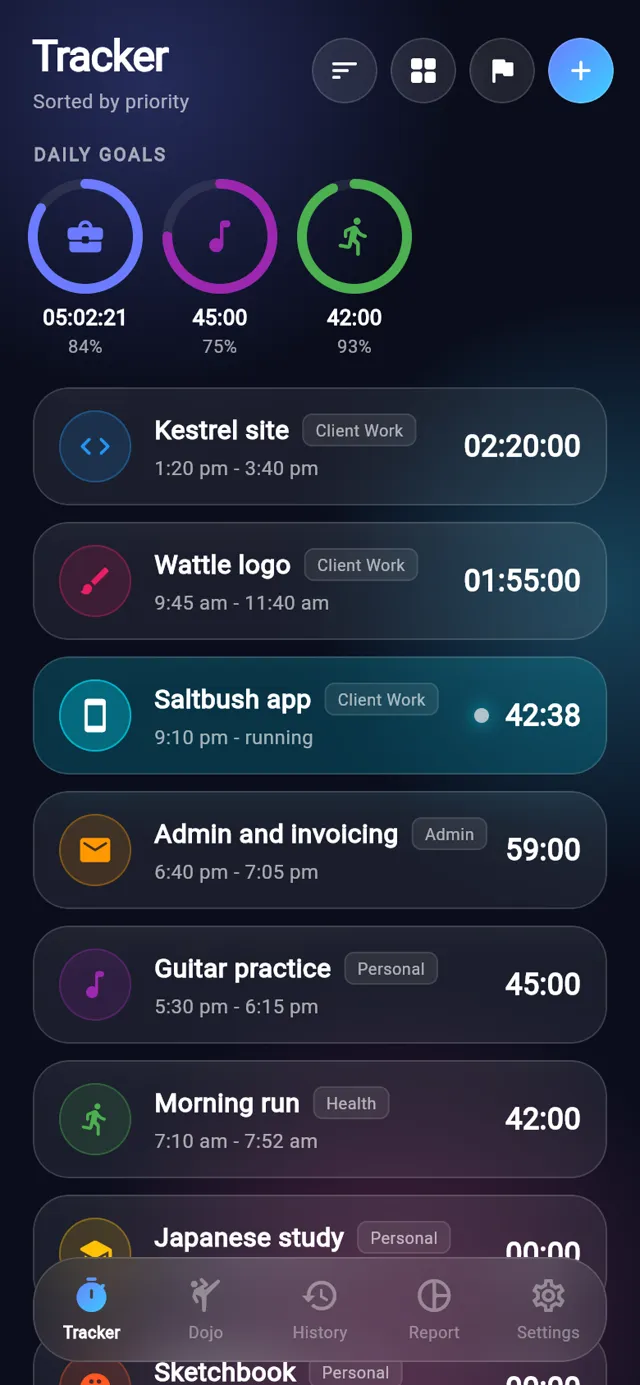
Each task is a row or tile with its own colour, icon and tag. Tap it to start or stop the timer, and long-press it to edit. The running task is highlighted and its time ticks over every second.

  • Switch between a list and a grid of larger tiles
  • Sort by priority, A to Z, or Free Arrange and drag tiles into your own order
  • More than one task can run at the same time
  • Each row shows today's total and the last session's start and finish
One tap starts a timer
02Goals

Daily goals for tasks and tags

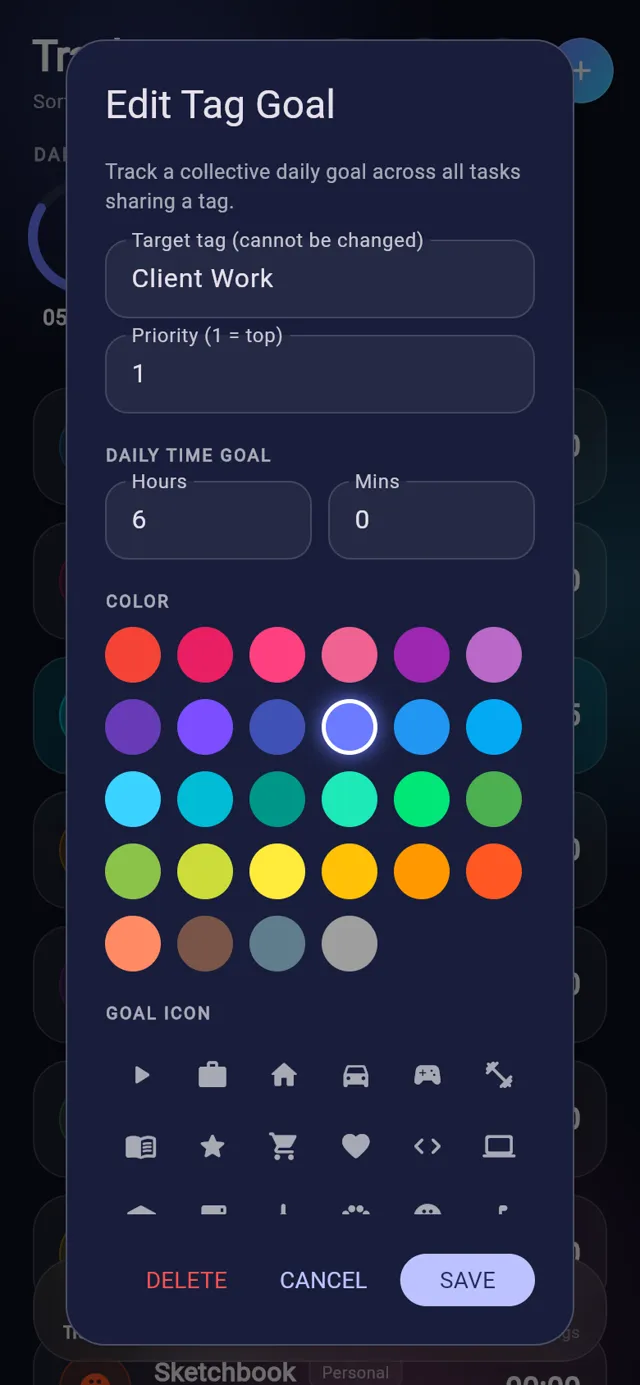
Give a single task a daily goal, or set one goal shared by every task with the same tag, such as six hours of client work. Rings across the top of the tracker fill up through the day and show the time and percentage reached.

  • Tag goals add up today's time from every task with that tag
  • Rings are ordered by the priority you give each goal
  • Long-press a ring to change its target, colour or icon
  • Task goals also show as a progress bar on grid tiles
Daily goals for tasks and tags
03Dojo

Belts for the long haul

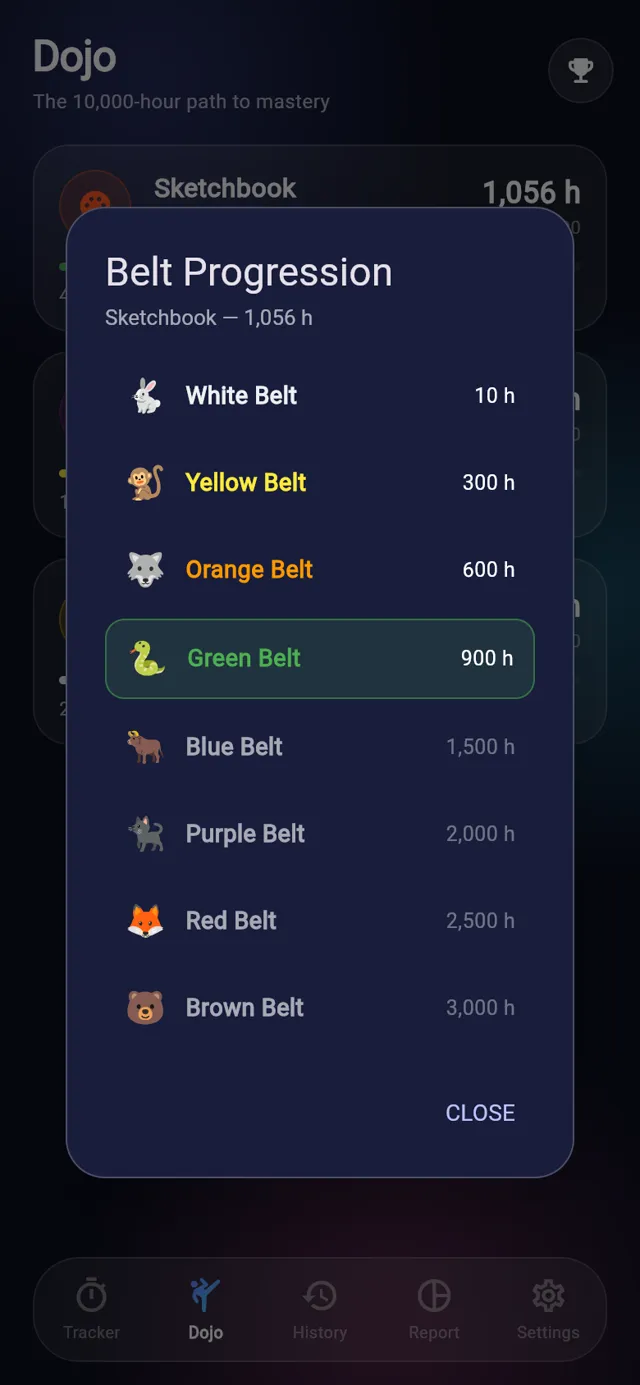
Turn on Mastery path for a task and its lifetime hours climb a belt ladder, from White Belt at 10 hours to Black 10th Dan at 10,000. The Dojo tab lists those tasks with their current belt and how far it is to the next one.

  • 18 ranks, each with its own animal, from Rabbit to Phoenix
  • Each card shows total hours and the hours left to the next belt
  • Tap a card to see the full ladder with your current belt highlighted
Belts for the long haul
04Report

See where the hours went

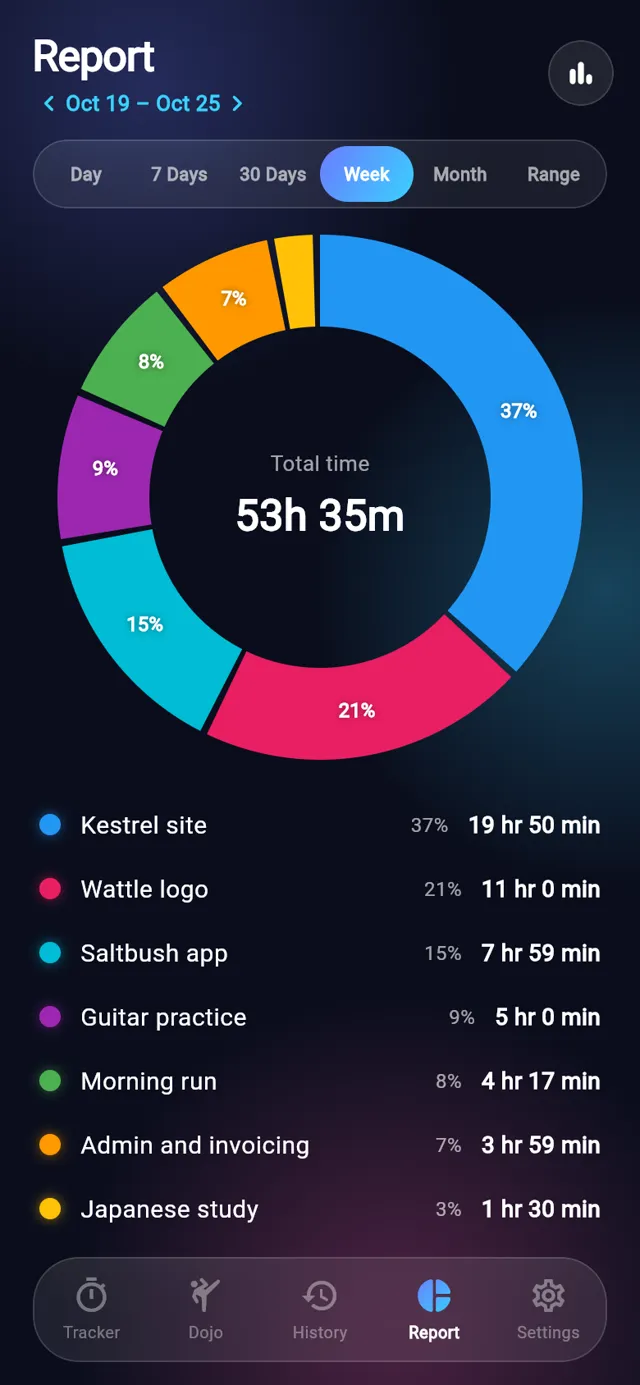
The Report tab totals every task for the period you pick, with bars or a donut chart. Step back and forward with the arrows or a swipe to compare one week or month with the last.

  • Day, 7 Days, 30 Days, Week, Month or a custom date range
  • A running timer is counted in the totals as it goes
  • The donut shows each task's share, and tapping a slice shows its time
  • Total tracked for the period sits at the top
See where the hours went
05Timers

Countdowns with an alarm

Give a task a timer duration and turn on countdown mode. Its tile counts down what is left of today's time, plays an alarm when it reaches zero, then keeps counting.

  • Hours and minutes for the timer and the daily goal
  • A description and a default note for each task
  • 28 colours and 180 icons to tell tasks apart
Countdowns with an alarm
06History

Keep the record straight

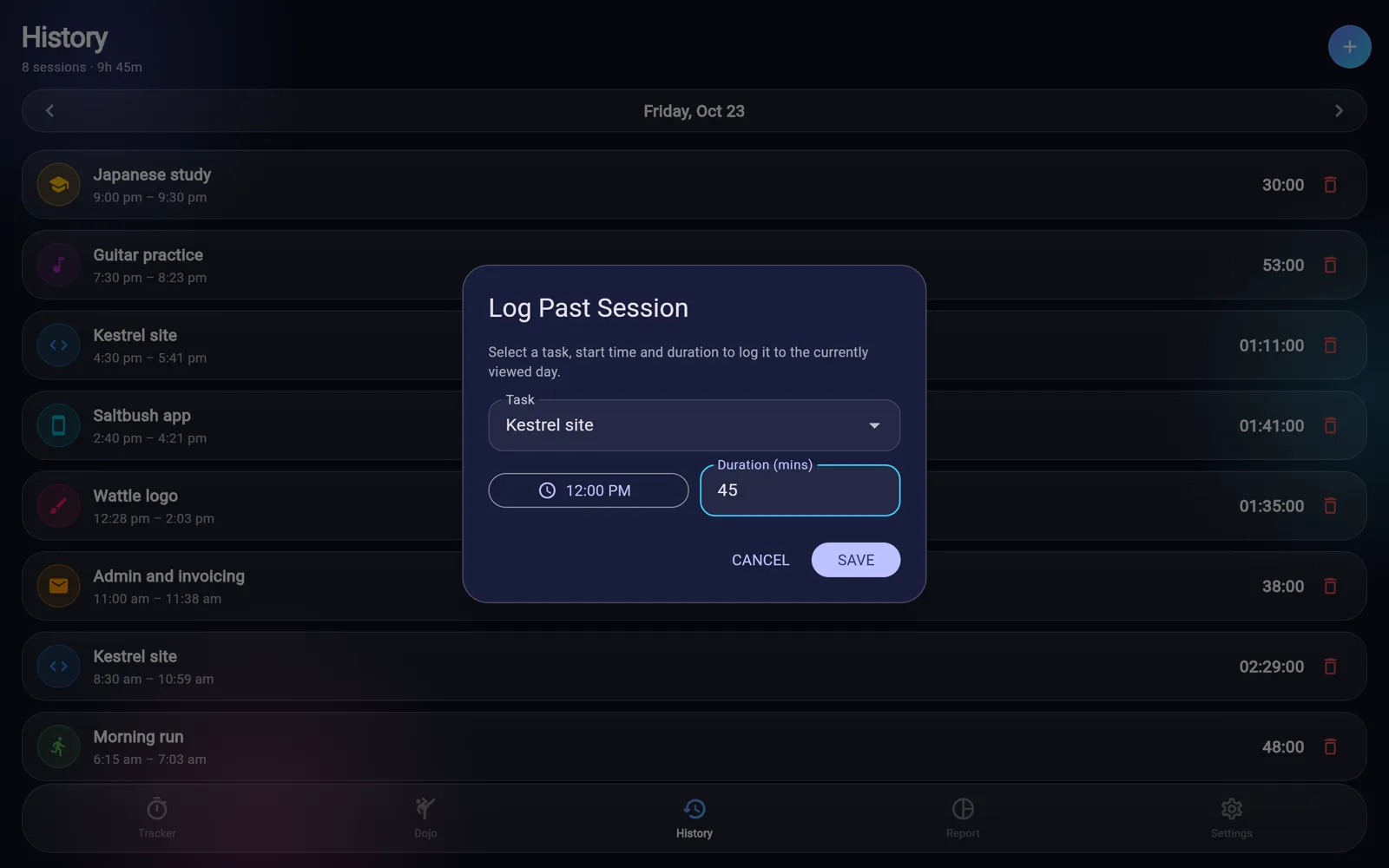
History lists each day's finished sessions with their start and finish times and the day's total. If you forgot to start a timer, log the session afterwards with a task, start time and length in minutes.

  • Move between days with the arrows or a swipe
  • Delete a session that was started by mistake
  • Logged sessions go on whichever day you are viewing
Keep the record straight
02Screens

The tour

Real screens from Ronin, filled with sample data.

Today's tasks with goal rings along the top and one timer running.

Today's tasks with goal rings along the top and one timer running.

03Details

Also in Ronin

Export every session to a CSV file for Excel, Google Sheets or Numbers
The export includes task, tag, priority, start, finish, minutes and the task's default note
A timer left running keeps counting after the app is closed
Display name and emoji avatar sync across your devices
Free Arrange order is saved with your data, so it follows you between devices
List or grid and sort choice are remembered on each device
Settings shows whether sync is connected and when it last synced
A short how-to guide is built into Settings
04Email

Get the newsletter

An email when there is news about Ronin, a new app comes out or a new Journal post goes up.

05More

Other apps

Katana TasksNinja NotesOrigami JournalBonsai TimerAbacusObeliskLyric BirdTandentZensei