All apps Katana Tasks app icon

Katana Tasks

Daily tasks, lists and project boards in one app

Katana Tasks keeps a daily My Day list, simple checklists and project boards that you can also see as a timeline, roadmap or calendar. It suits people who juggle personal errands and work projects and want both in one place.

iOSmacOSAndroidwatchOSWorks offline
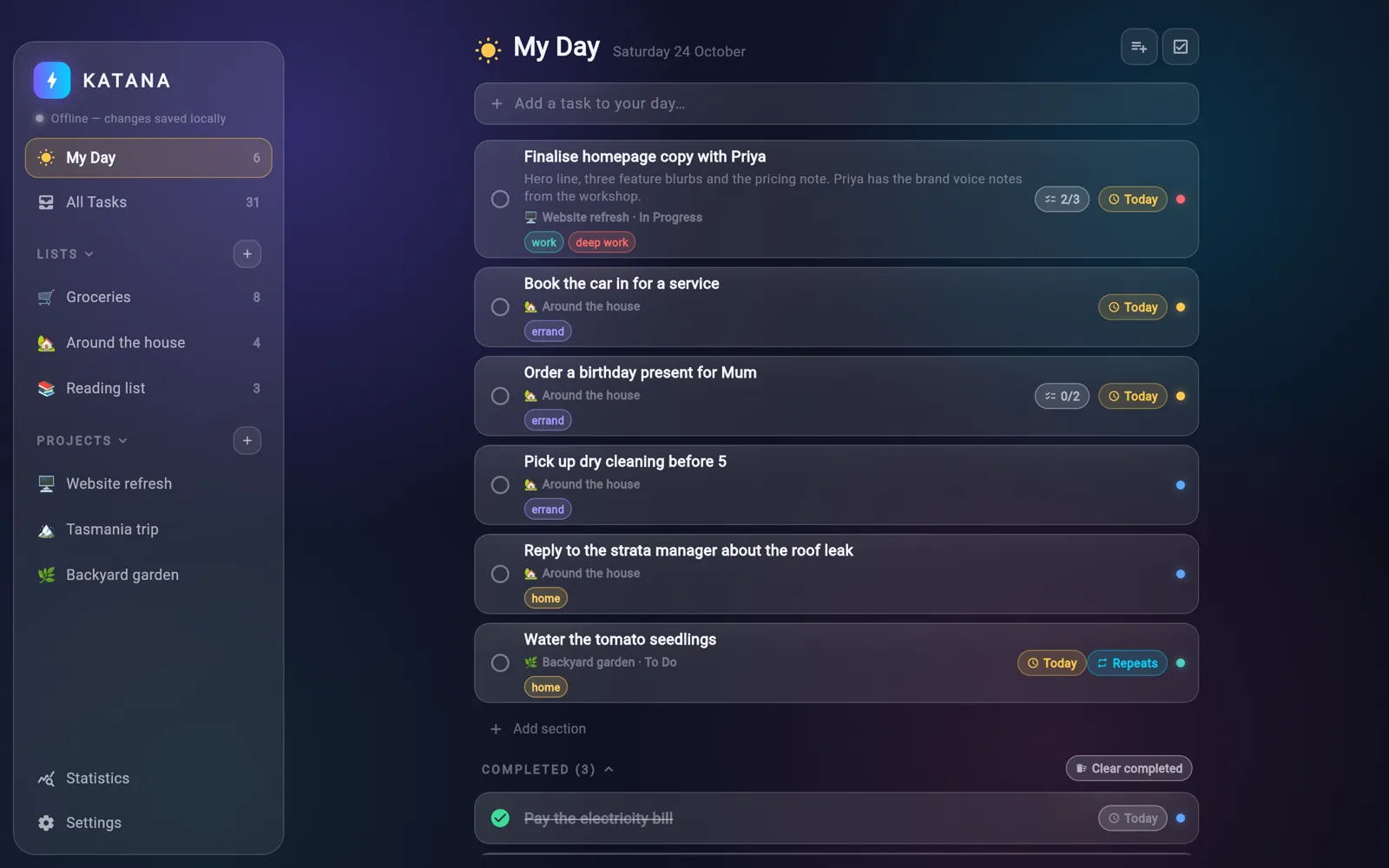
Katana Tasks on desktop
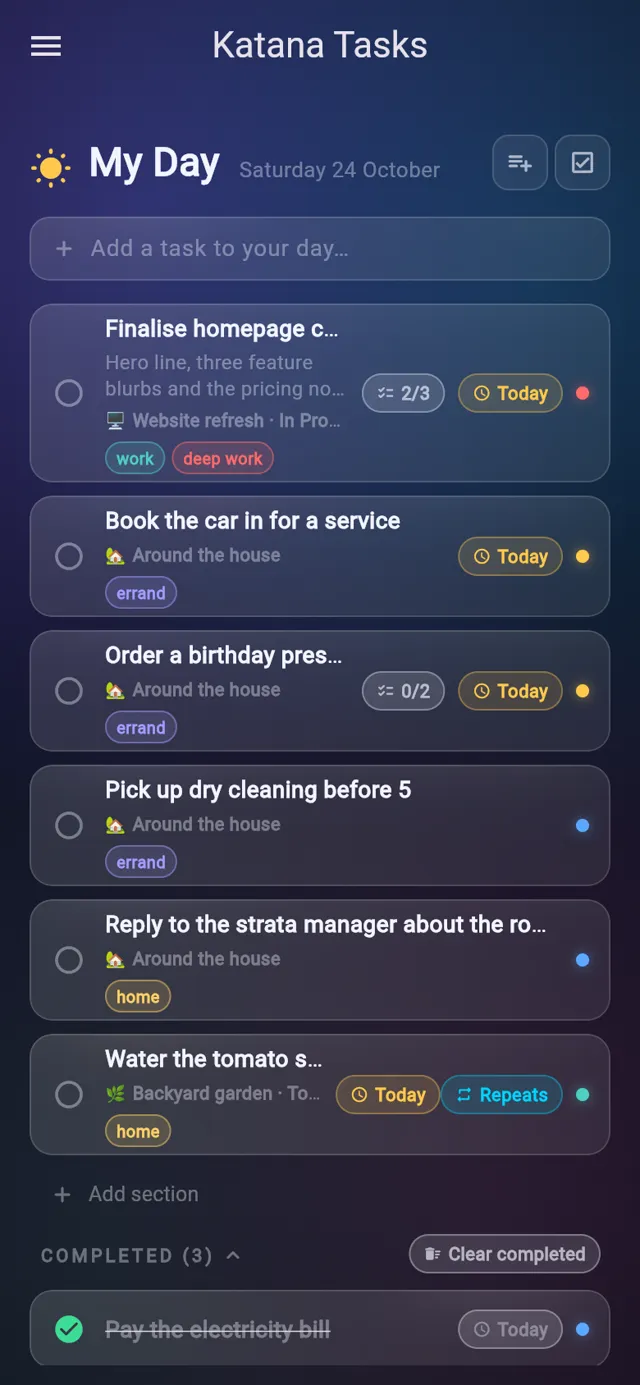
Katana Tasks on a phone
5ways to view a project
4priority levels
10statistics tiles
4Apple Watch complication styles
01Features

What it does

Every change saves to a local database on the device first and syncs to the Katana server through PowerSync when there is a connection, so the app keeps working offline and a dot in the sidebar shows the sync state.

01My Day

One list for today

My Day gathers the tasks you star for today and anything due today, from every list and project. Overdue tasks stay until you finish them, and what you tick off moves to a Completed section that resets each morning.

  • Star any task into My Day from its detail panel
  • Tasks due today or earlier appear on their own
  • Drag to reorder and group tasks under your own headings
  • Each row shows where the task lives, its labels and checklist progress
One list for today
02Boards

Projects as boards

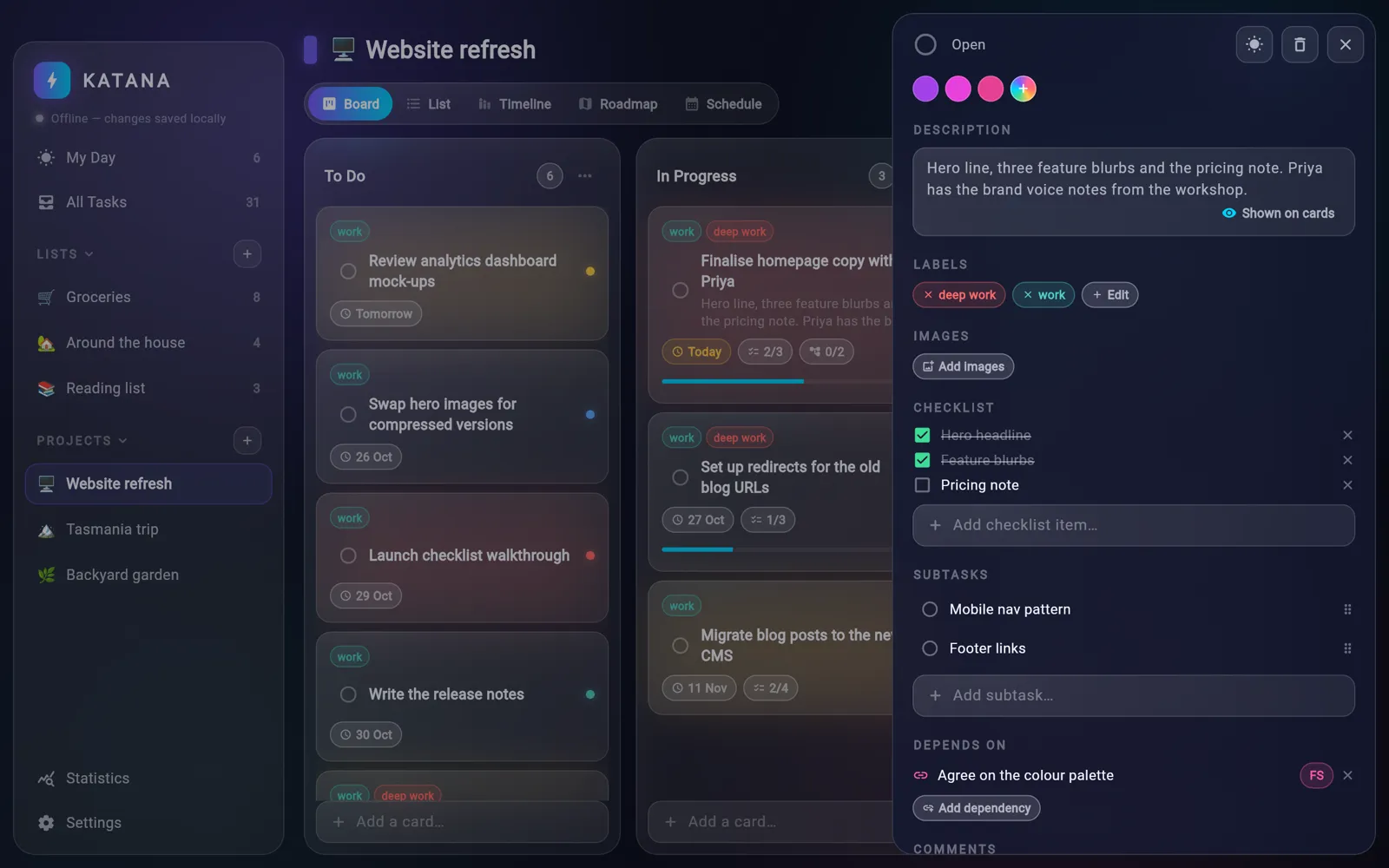
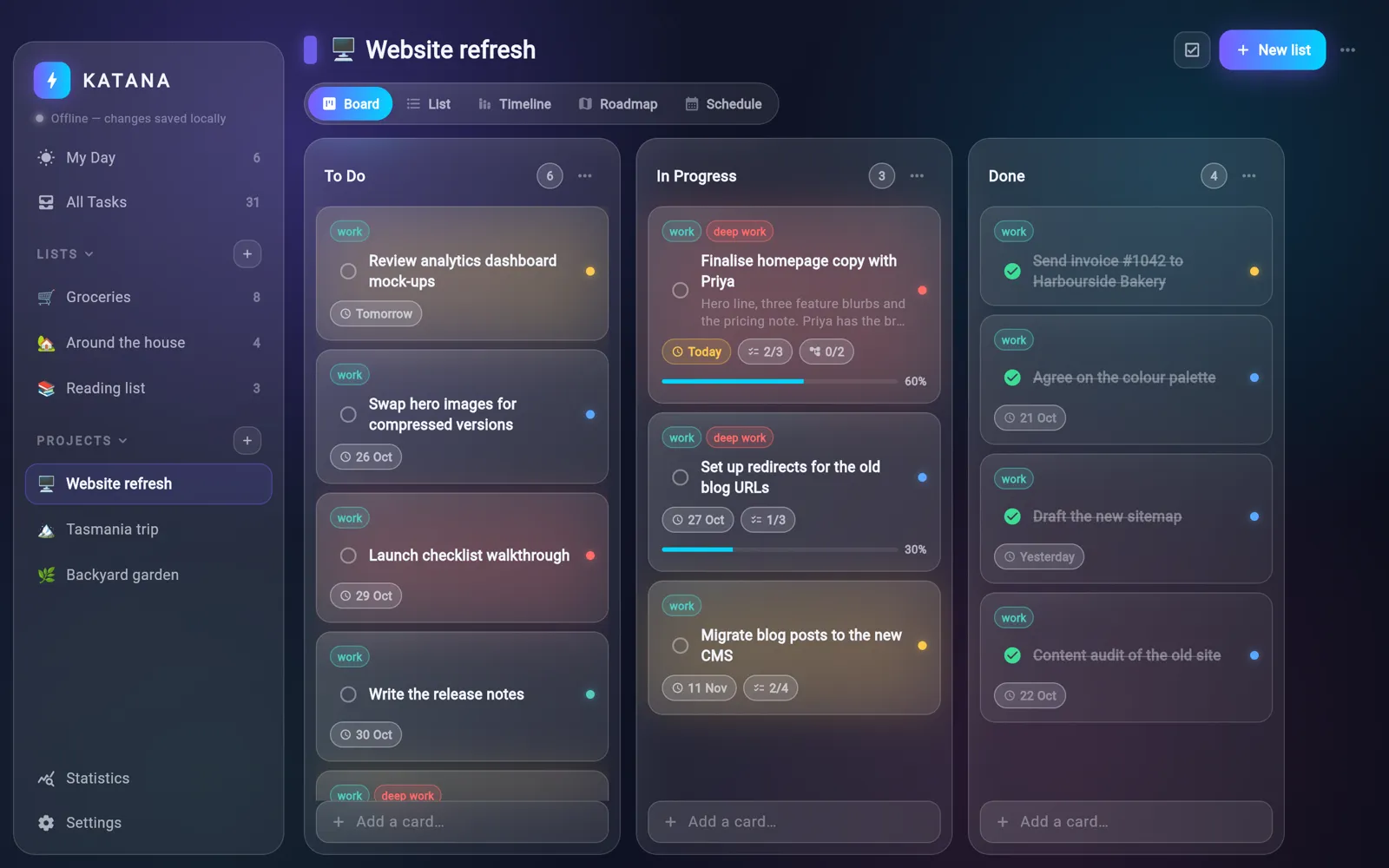
Each project starts with To Do, In Progress and Done columns. Drag cards between columns and drag column headers to reorder them; ticking a card off moves it to Done.

  • Cards show labels, due date, checklist and subtask counts and a progress bar
  • Add your own columns with New list
  • Nest sub-projects under a project in the sidebar
  • Clear completed cards per column or for the whole board
Projects as boards
03Timeline

The same tasks on a timeline, roadmap or calendar

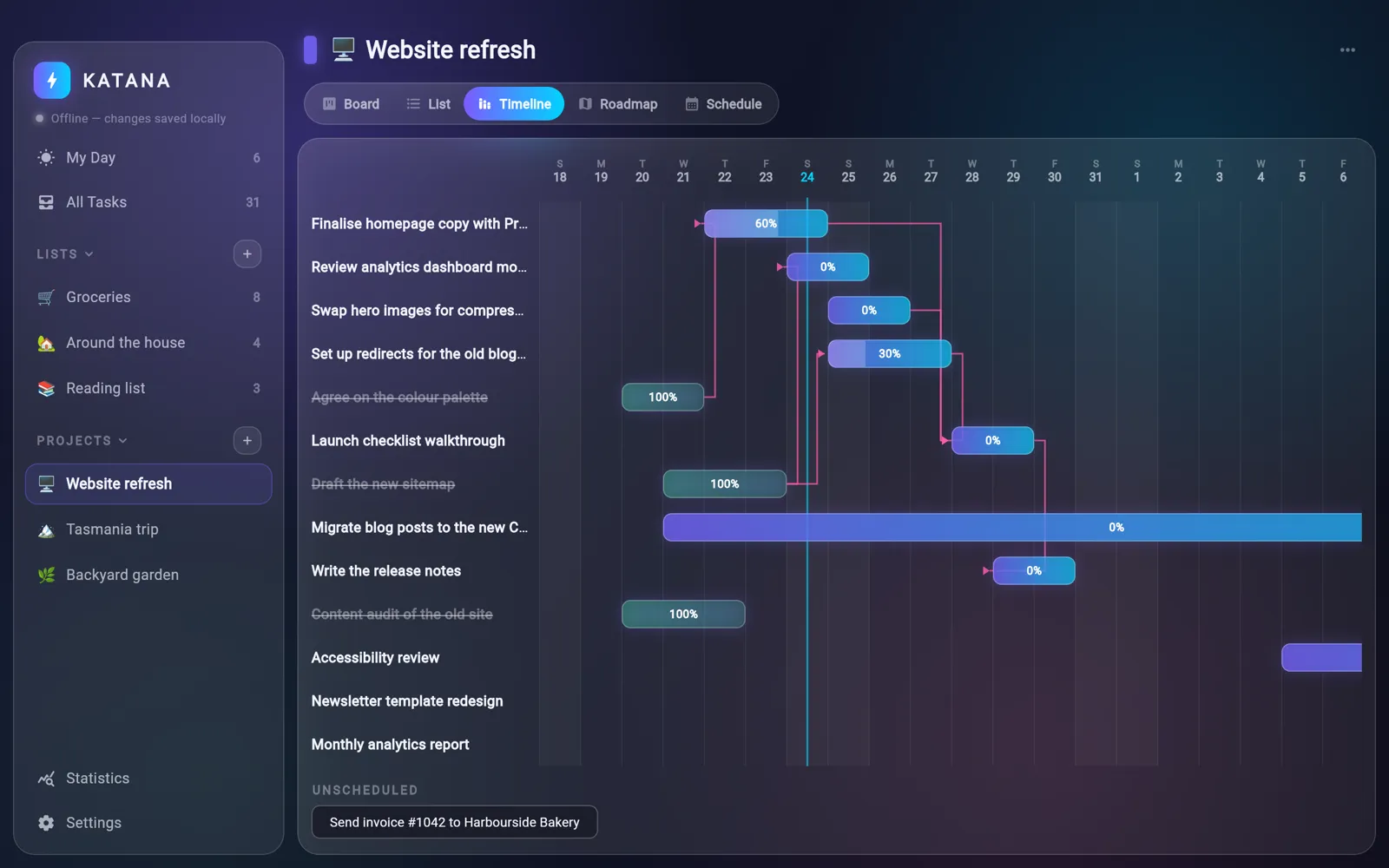
A switcher under the project name shows the same tasks five ways: Board, List, Timeline, Roadmap and Schedule. Timeline is a day by day chart with dependency arrows, Roadmap zooms out to months, and Schedule puts due dates on a month calendar.

  • Timeline bars show each task's start, due date and progress
  • Arrows link a task to the tasks it depends on
  • Roadmap gives each board column its own lane across the months
  • Drag a task onto a calendar day to reschedule it, undated tasks wait in a tray
The same tasks on a timeline, roadmap or calendar
04Task detail

Everything about a task in one panel

Opening a task slides in a panel with its priority, start and due dates, repeat rule and progress. Below that sit its description, labels, images, checklist, subtasks, dependencies and comments.

  • Repeat daily, on weekdays, weekly, monthly, yearly, on chosen weekdays or every few days, weeks or months
  • Finishing a repeating task creates the next one with its labels and checklist
  • Set progress with a slider, ticking the task off sets it to 100%
  • Attach photos and pick one to show on the card
  • Give a task its own colour from a palette or a custom picker
Everything about a task in one panel
05Lists

Plain lists for everyday things

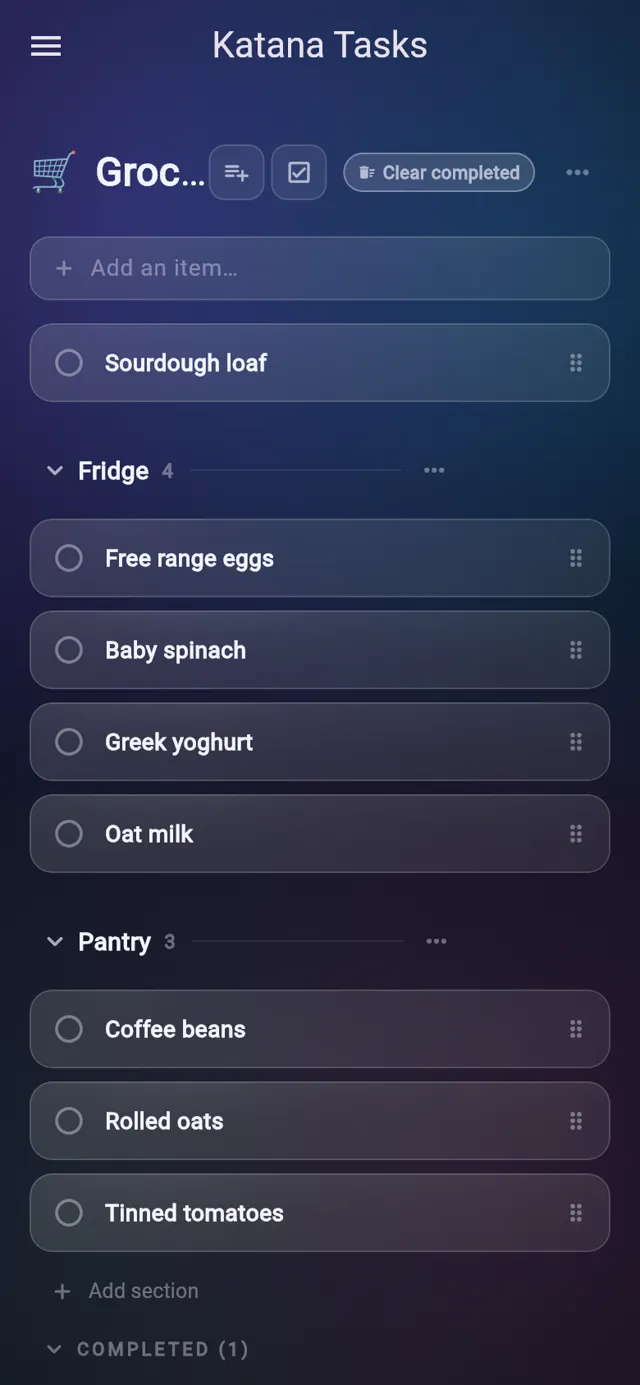
Standalone lists cover groceries, chores and reading without a board. Add items from the field at the top, group them under headings, and drag rows to reorder.

  • Collapsible sections inside a list
  • Give each list its own emoji for the sidebar
  • Clear completed removes finished items but keeps your statistics
Plain lists for everyday things
06Statistics

See what you have finished

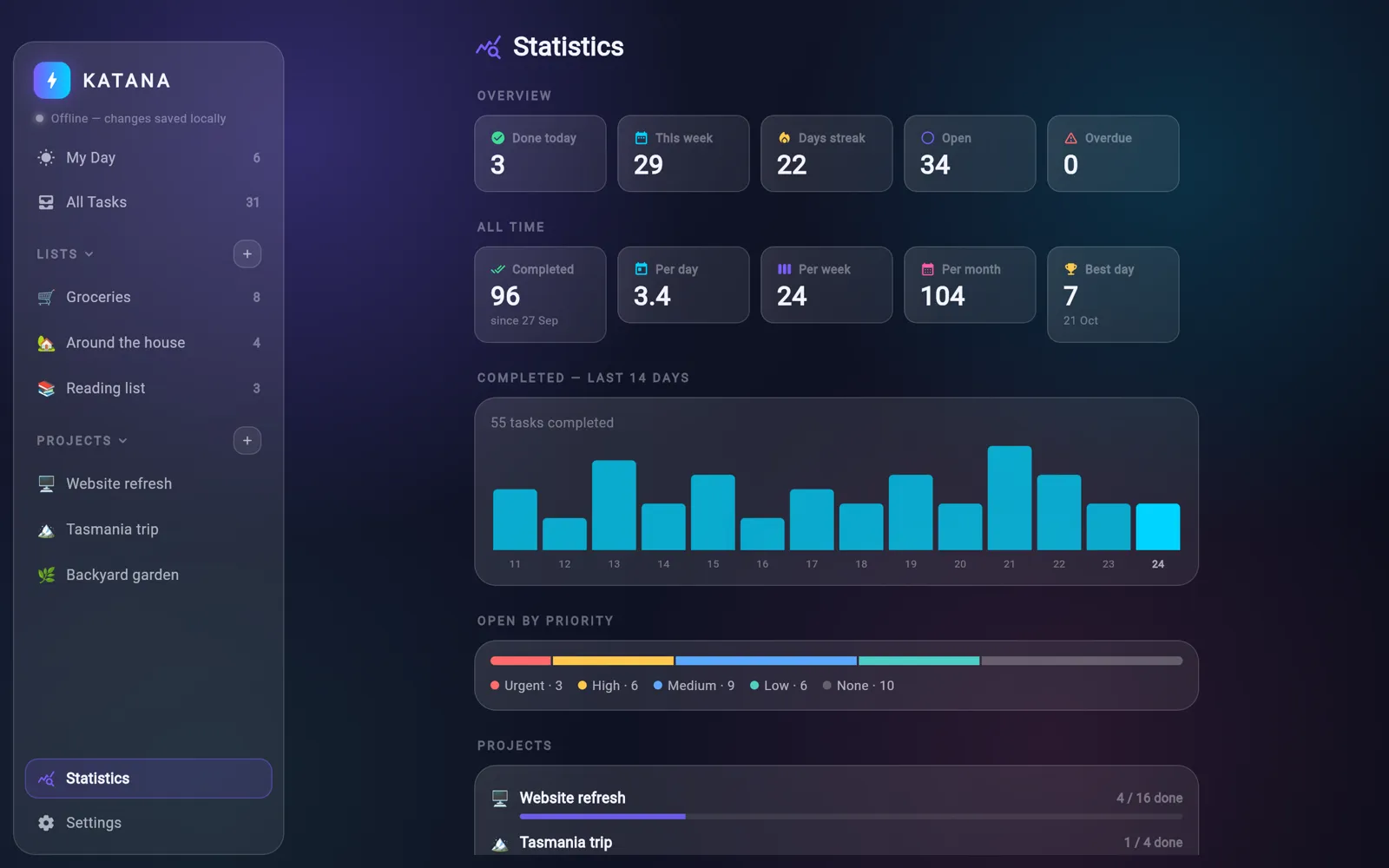
The Statistics screen counts what you finished today and this week, your current streak, and what is open or overdue. It also shows all time averages, your best day, a 14 day chart and progress for every project and list.

  • Completions are logged separately, so clearing tasks does not erase history
  • Open tasks broken down by priority
  • Per project and per list done counts with progress bars
See what you have finished
02Screens

The tour

Real screens from Katana Tasks, filled with sample data.

Today's starred and due tasks from every list and project, with what you have finished below.

Today's starred and due tasks from every list and project, with what you have finished below.

03Details

Also in Katana Tasks

All Tasks view with search and five sort orders: due date, priority, A to Z, newest and project
Select several tasks to complete, label, move, add to My Day or delete them together
Labels with your own colours, organised into groups
Choose which screen opens when the app starts
Toggle whether task descriptions show on cards
Apple Watch app that shows My Day and your lists and lets you tick tasks off
Add a task from the watch by dictation or by asking Siri
Watch face complications showing today's My Day progress
My Day and other date based views refresh on their own after midnight
04Email

Get the newsletter

An email when there is news about Katana Tasks, a new app comes out or a new Journal post goes up.

05More

Other apps

Ninja NotesOrigami JournalRoninBonsai TimerAbacusObeliskLyric BirdTandentZensei