All apps Origami Journal app icon

Origami Journal

A daily journal that tracks your writing streak

Origami Journal is for short daily entries: write a few lines, pick how the day felt and add a tag or two, and a streak counts the days in a row you have written. It suits anyone building a small writing habit who wants the same journal on a Mac, an Android phone and in the browser, including when there is no connection.

macOSAndroidWebWorks offline
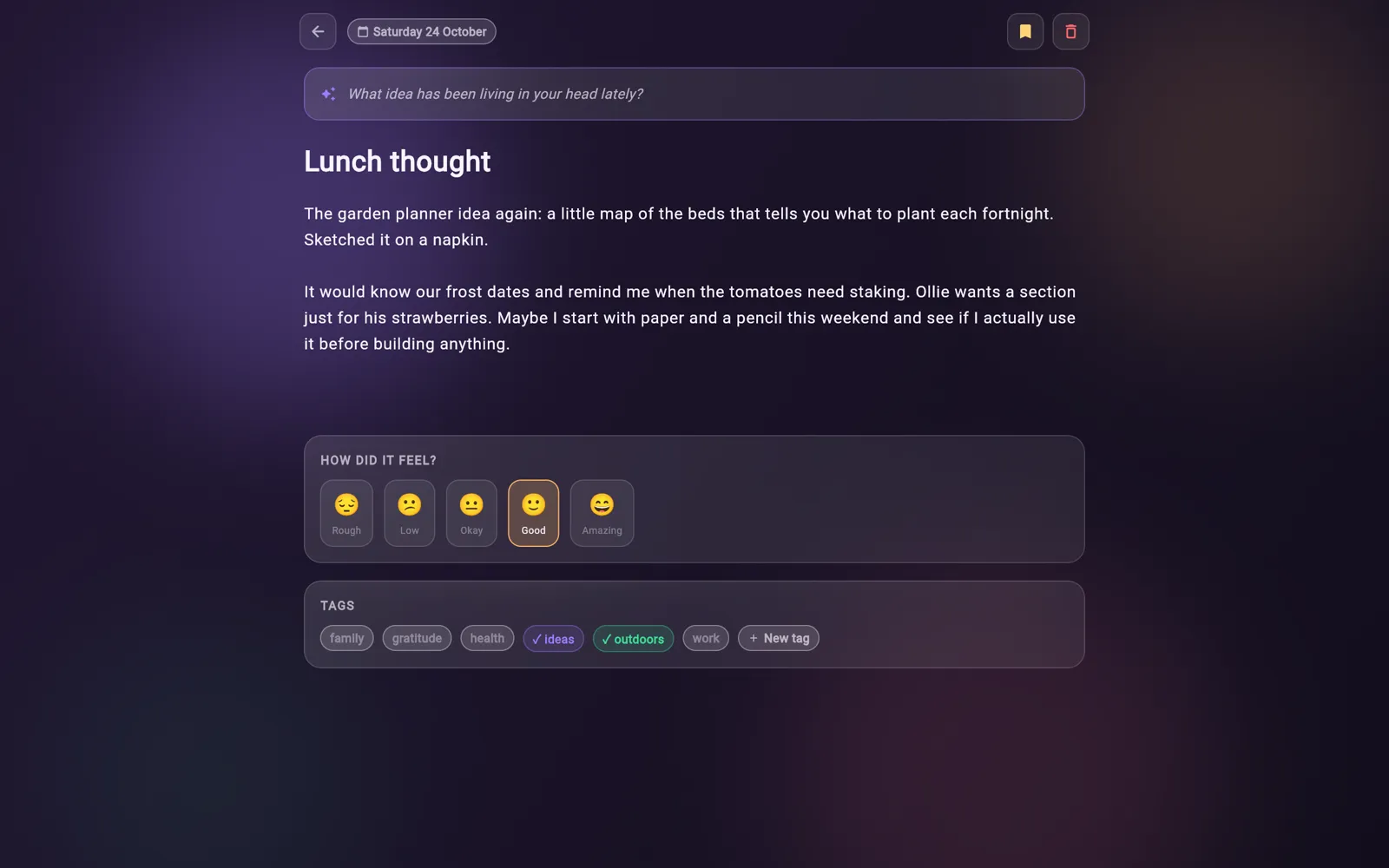
Origami Journal on desktop
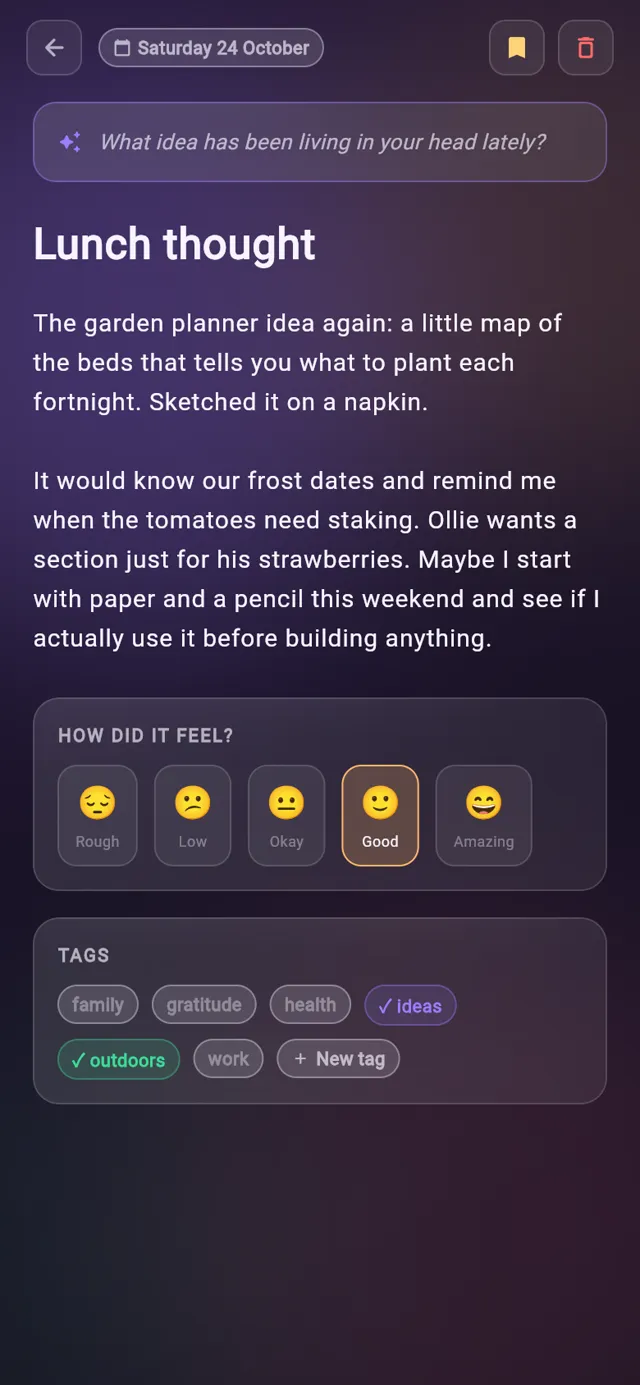
Origami Journal on a phone
30reflection prompts, one a day
5mood levels, Rough to Amazing
6stats on the Insights screen
4views: Today, Journal, Calendar, Insights
01Features

What it does

Every entry is saved to a local SQLite database on the device first, so the app keeps working offline, and PowerSync syncs changes with your account in the background whenever there is a connection.

01Today

Your streak and a prompt on the first screen

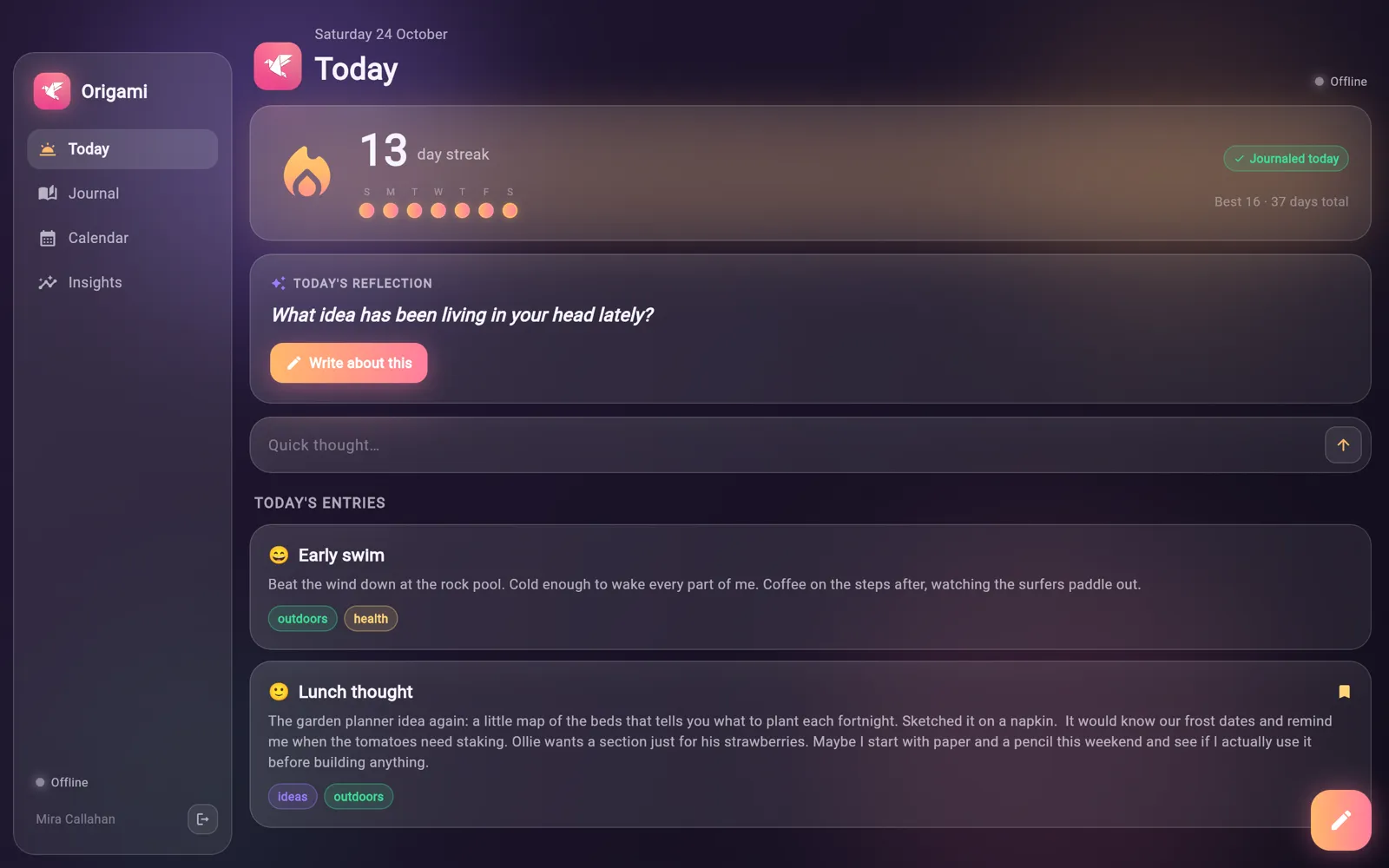
The Today screen opens on your current streak, with the last seven days shown as dots. Under it sits the day's reflection prompt and a box for a quick thought, followed by everything you have written today.

  • The streak counts consecutive days with at least one entry
  • A streak stays alive until the end of today if you wrote yesterday, with a reminder to write
  • Best streak and total days journaled sit beside the current one
  • Write about this opens a new entry with the prompt attached
  • Quick thought saves a one line entry without opening the editor
Your streak and a prompt on the first screen
02Editor

Write, then say how it felt

Each entry has a title, free text, a mood and any number of tags. The editor saves as you type, so there is no save button to remember.

  • Five moods from Rough to Amazing, each with its own colour
  • Tap a tag to add or remove it, or create a new one on the spot
  • New tags get a colour from a six colour palette
  • Tap the date to move an entry to another day
  • Bookmark an entry, or delete it from every device
Write, then say how it felt
03Journal

Every entry, newest first

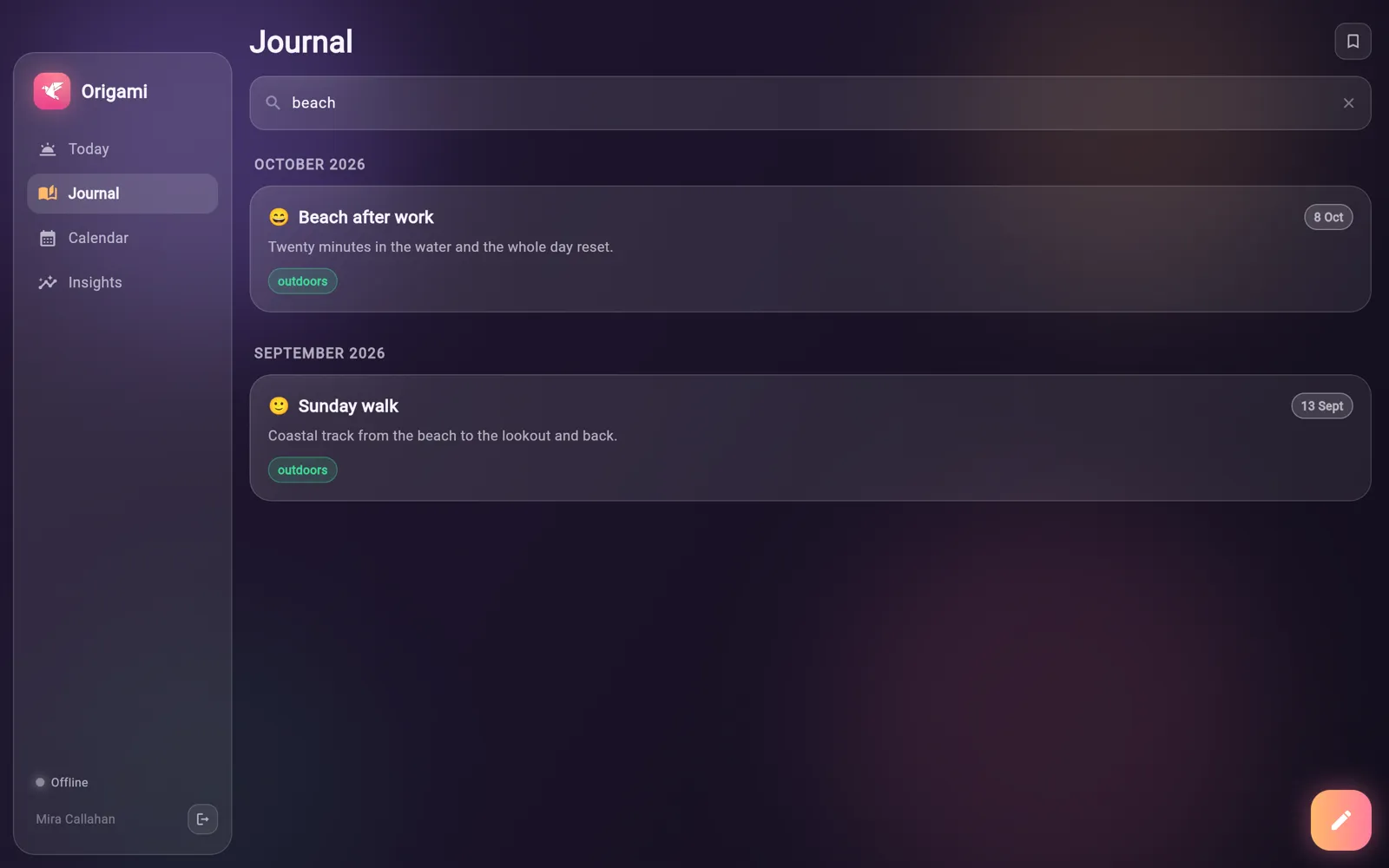
The Journal view lists all your entries grouped by month, each card showing its mood, date, tags and the start of the text. A search box and a bookmark filter narrow it down.

  • Search matches words in titles and entry text
  • The bookmark button shows only bookmarked entries
  • Entries are grouped under month headings
  • Tap any card to open it in the editor
Every entry, newest first
04Calendar

A month of moods at a glance

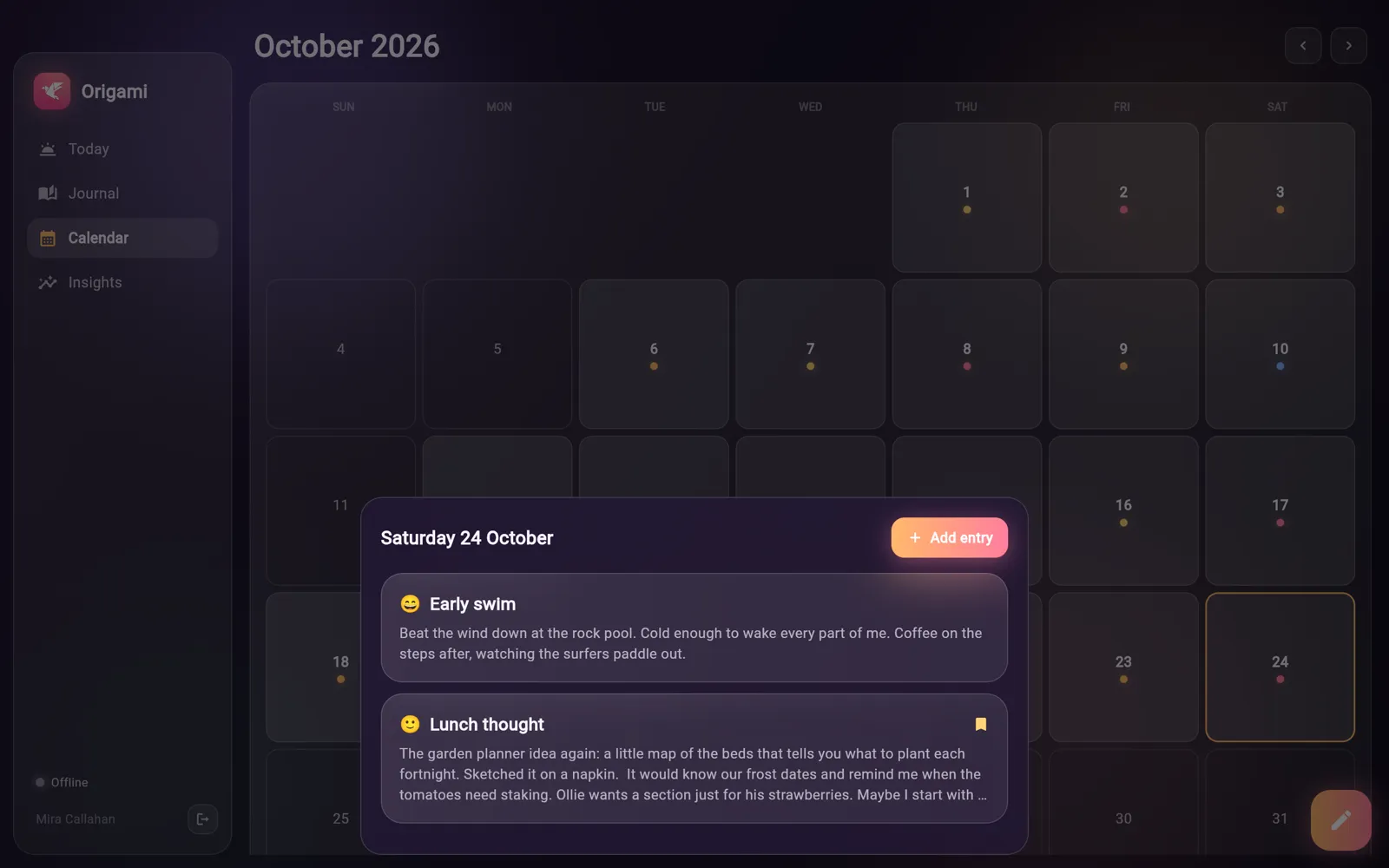
The calendar marks every day you wrote, with a dot coloured by that day's mood. Tap a day to see its entries in a sheet, or tap an empty day to start an entry for it.

  • Step back and forward a month at a time
  • Today is outlined so you can find it quickly
  • The day sheet lists that day's entries with an Add entry button
  • A legend under the grid explains the mood colours
A month of moods at a glance
05Insights

Numbers on your writing habit

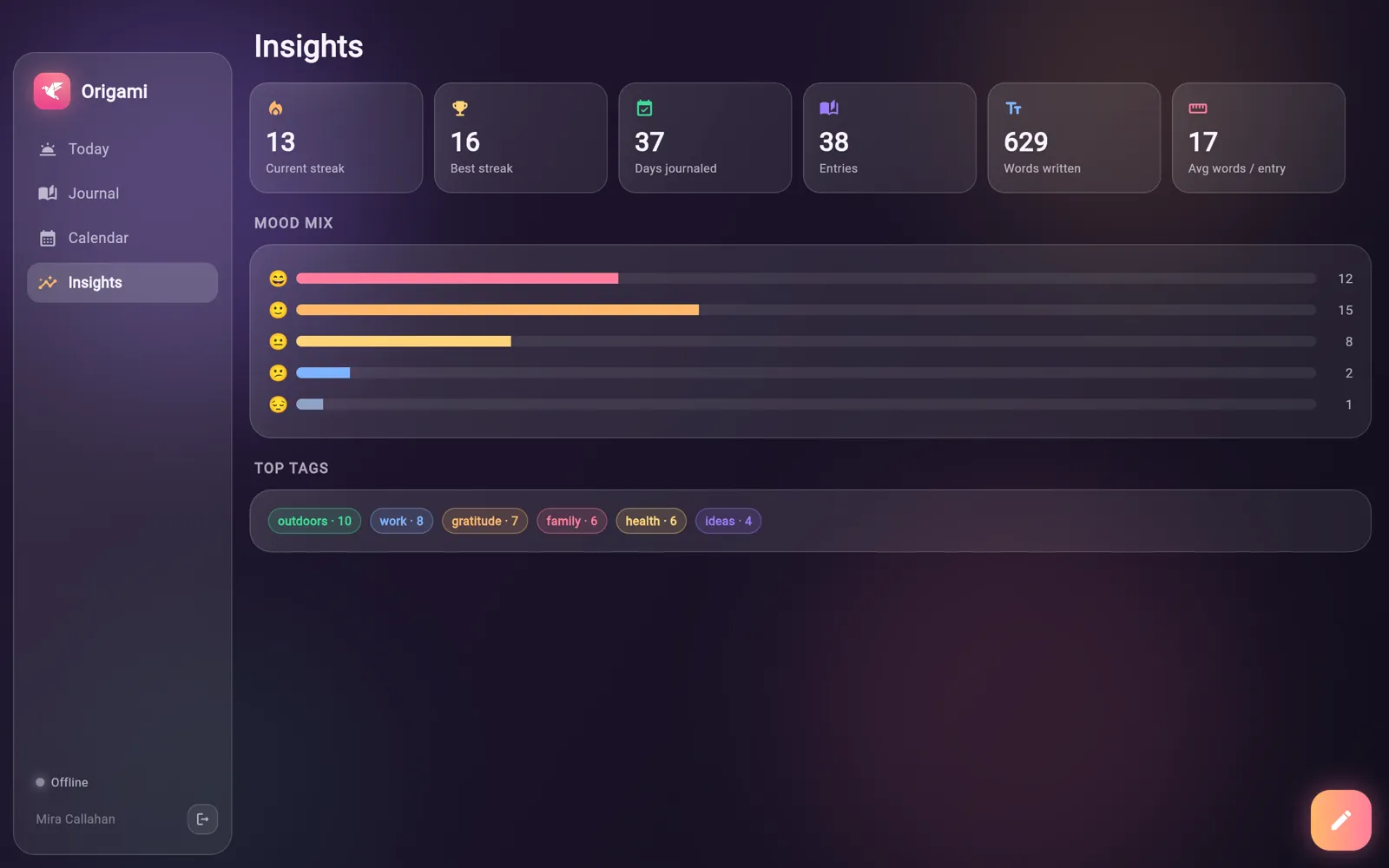
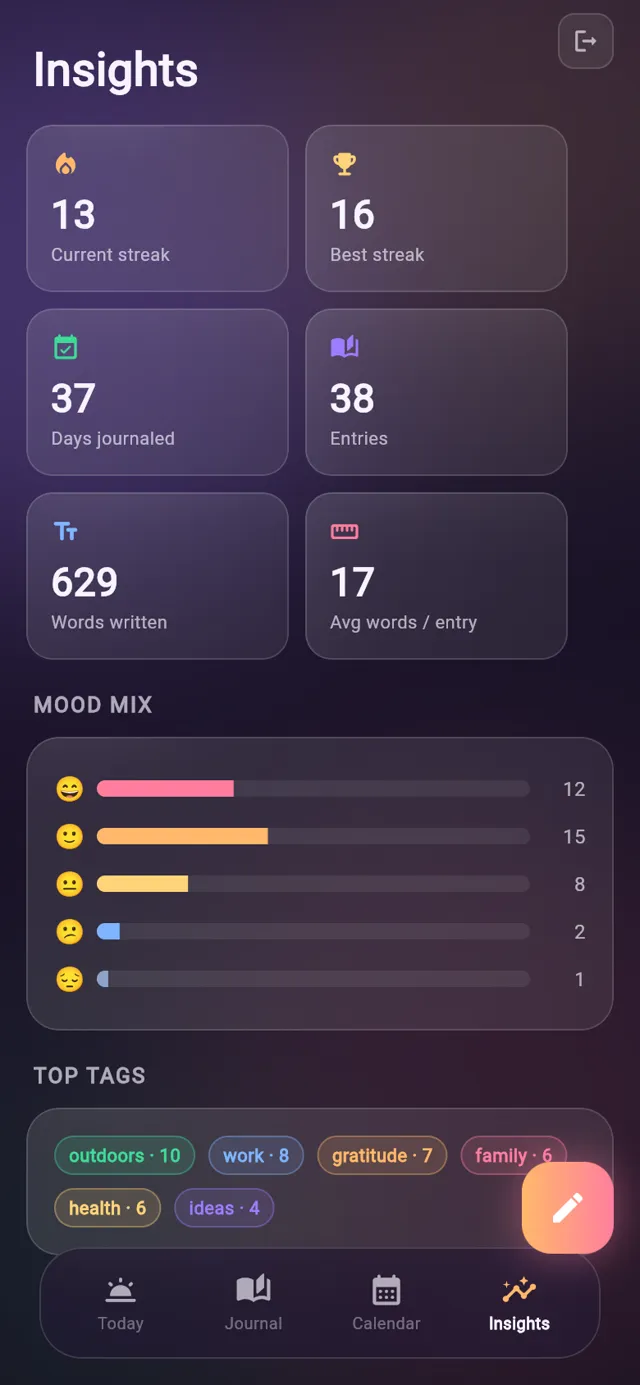
Insights adds up your journal: streaks, days, entries and words. It also shows how your moods are spread and which tags you use most.

  • Current streak, best streak and days journaled
  • Entry count, total words and average words per entry
  • Mood mix bars for each of the five moods
  • Top tags ranked by how many entries use them
Numbers on your writing habit
06Sync

Works offline, syncs when it can

The journal lives in a local database on each device, so writing and reading never wait on the network. Changes sync with your account in the background, and a small status dot says whether you are synced, syncing or offline.

  • Sign in, create an account and reset a password by emailed code, all inside the app
  • Streaks are worked out on the device from the days you wrote
  • The connection is rebuilt when the device wakes or the app comes back to the front
  • Signing out removes the journal's local copy from that device
Works offline, syncs when it can
02Screens

The tour

Real screens from Origami Journal, filled with sample data.

Your streak, today's prompt and today's entries on one screen.

Your streak, today's prompt and today's entries on one screen.

03Details

Also in Origami Journal

Entries save automatically about half a second after you stop typing
A new entry left empty is discarded when you close it
Each entry card shows its mood, date, tags and a bookmark marker
A fresh reflection prompt each day, cycling through 30
The prompt you wrote from stays at the top of the entry
More than one entry per day is fine, the streak counts days
Side menu on wide screens, bottom tab bar on phones
Sync status dot shows Synced, Syncing, Connecting or Offline
Glass panels over a warm aurora background
04Email

Get the newsletter

An email when there is news about Origami Journal, a new app comes out or a new Journal post goes up.

05More

Other apps

Katana TasksNinja NotesRoninBonsai TimerAbacusObeliskLyric BirdTandentZensei