All apps Bonsai Timer app icon

Bonsai Timer

A board of countdown timers, plus pomodoro and stopwatches

Bonsai Timer runs as many named countdown timers as you need at once, each with its own colour and alarm tone. It suits anyone keeping track of several things at the same time, and it has a pomodoro cycle and lap stopwatches built in.

macOSAndroidWeb
Bonsai Timer on desktop
Bonsai Timer on a phone
18alarm tones
6accent colours
4tabs: board, library, stopwatch, pomodoro
2 to 8pomodoro rounds per set
01Features

What it does

It works without an account and keeps everything on the device; signing in syncs the timer board, preset library, pomodoro settings and saved stopwatch results between devices, while live stopwatches and the running pomodoro stay on the device they started on.

01Board

Timers that run side by side

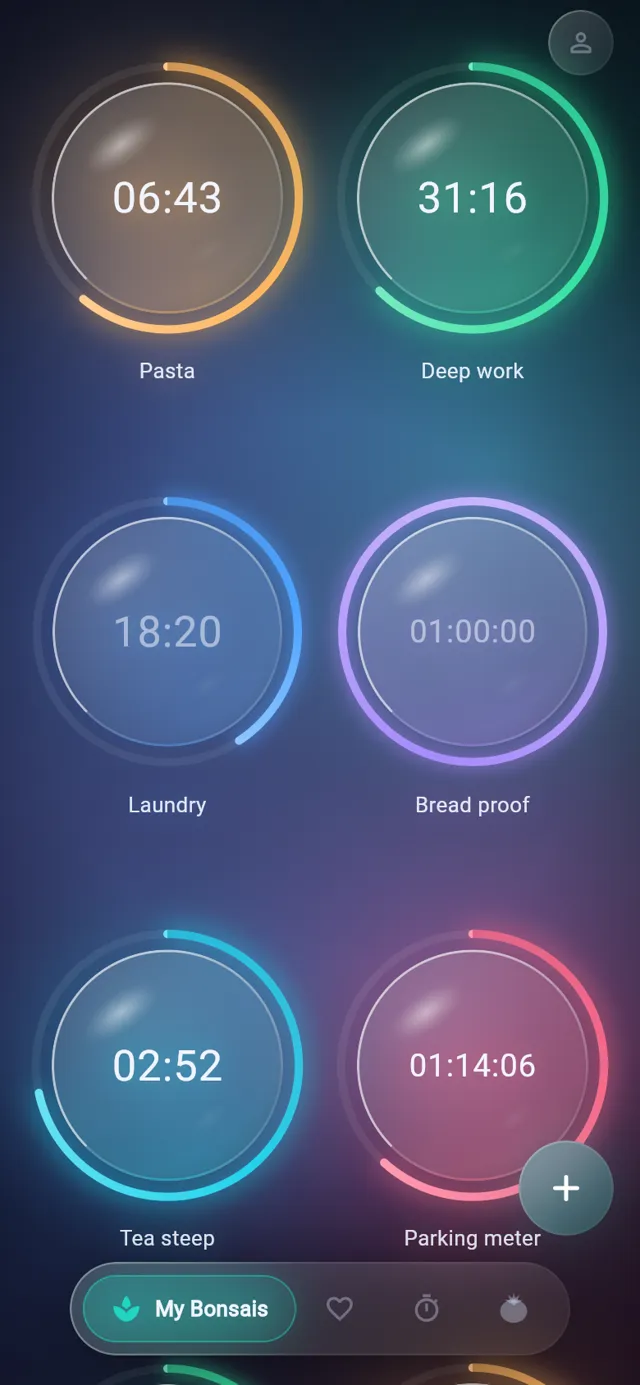
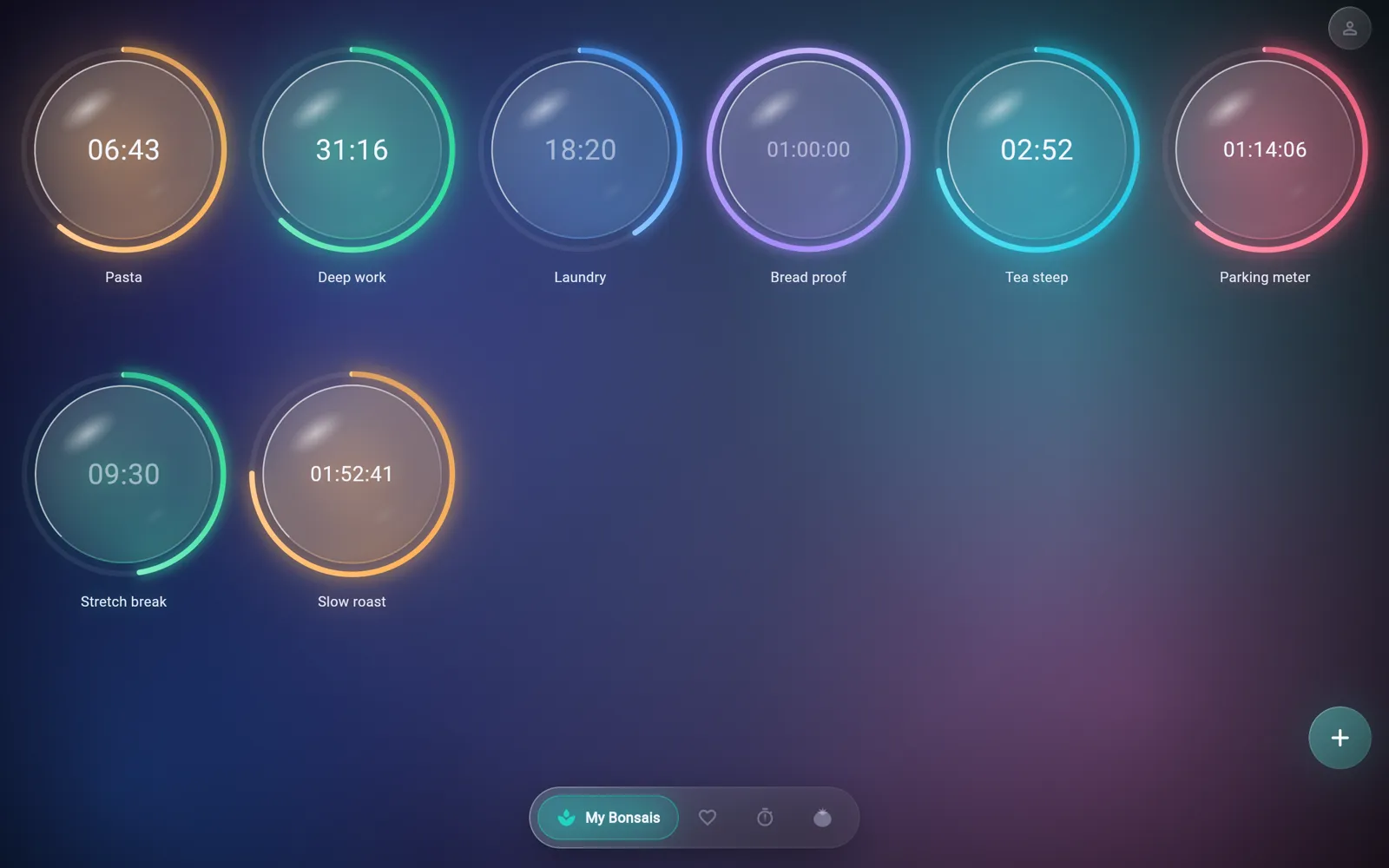
Each timer is a glass bubble with a coloured ring that drains as the time runs down. Tap a bubble to start or pause it, and long press it to change its settings. Timers count towards a fixed end time, so they stay accurate when the app is closed and opened again.

  • Add as many timers as you like with the + button
  • Set a name, a duration in hours, minutes and seconds, a colour and an alarm tone for each timer
  • A finished timer turns red and keeps sounding until you tap it
  • A timer that ran out while the app was closed comes back stopped at zero instead of ringing
  • Save any timer to the library from its settings
Timers that run side by side
02Library

Presets you can start in one tap

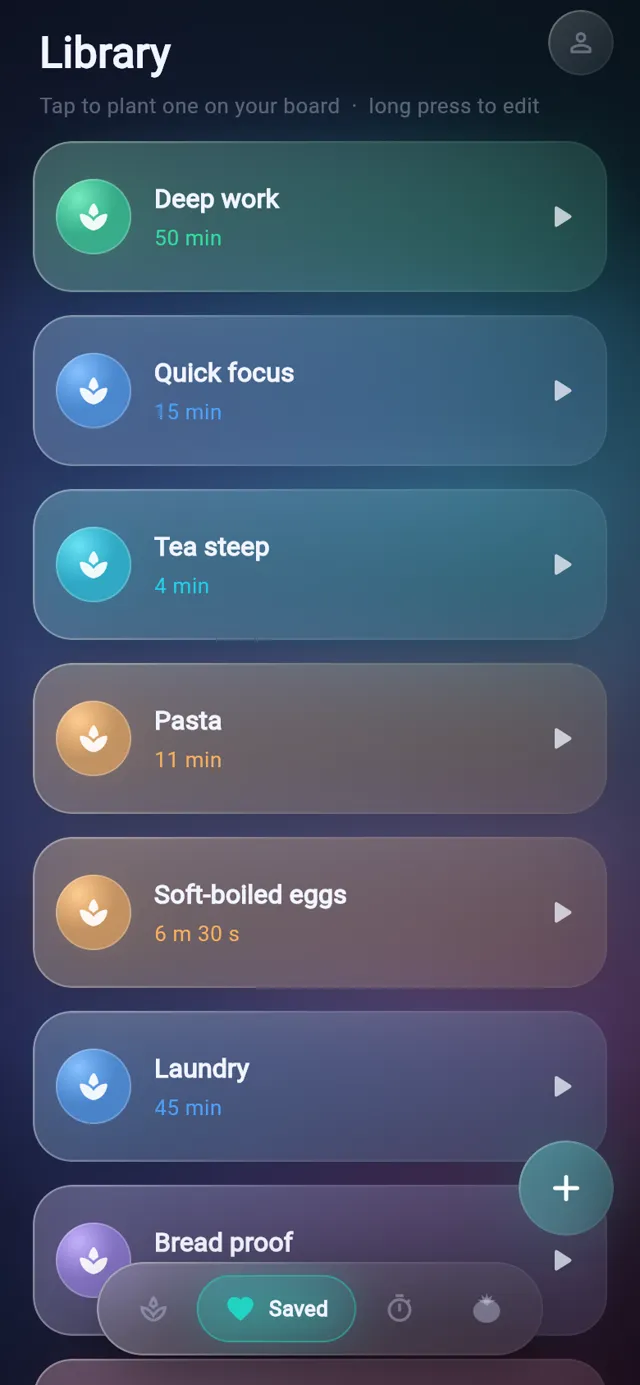
The library keeps the durations you use often. Tap a card and a running copy goes onto the board, or long press it to edit or delete it.

  • Four starter presets on a fresh install
  • Each preset keeps its own colour and alarm tone
  • Durations read plainly, like 6 m 30 s or 2 h 30 m
  • Create presets with the + button or save them from a live timer
Presets you can start in one tap
03Sounds

A different tone for every timer

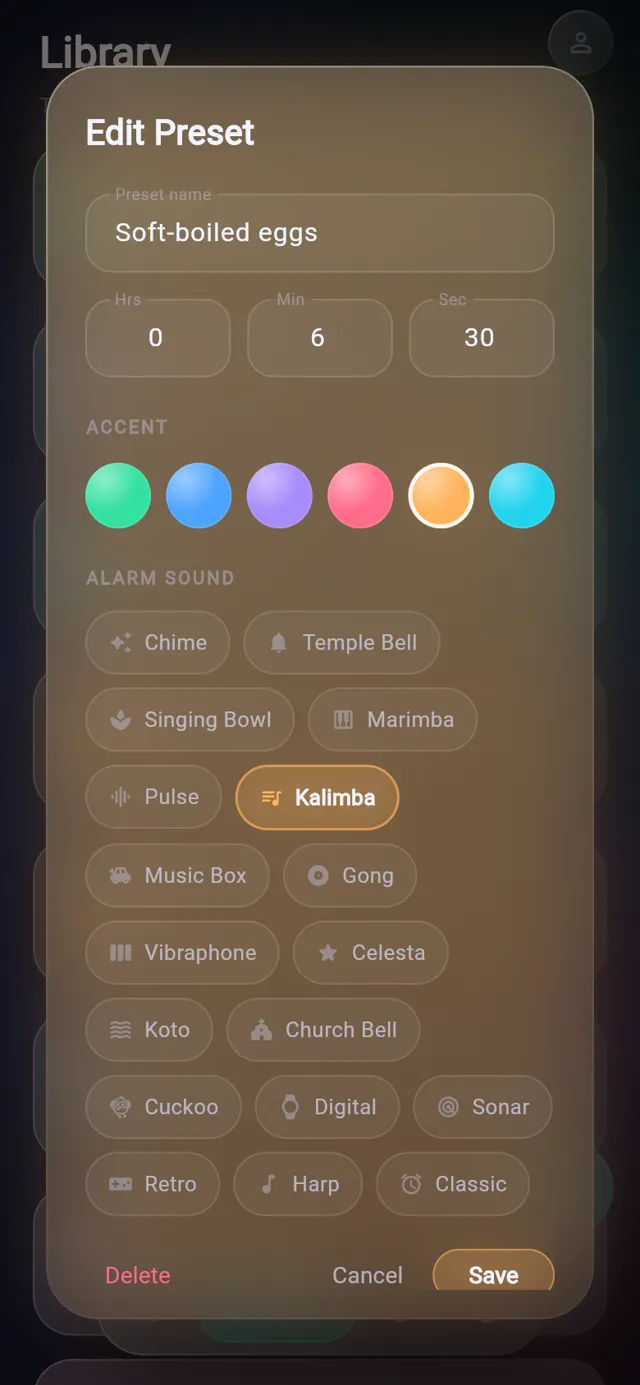
Every timer and preset has its own alarm sound, so you can tell which one finished without looking. Tapping a tone in the picker plays a preview. Seventeen of the eighteen tones were synthesised for the app.

  • Tones include Singing Bowl, Temple Bell, Marimba, Kalimba, Gong, Koto, Cuckoo and Retro
  • Previews play on their own channel, so they never cut off a timer that is ringing
  • The pomodoro has one tone for the end of focus and another for the end of a break
A different tone for every timer
04Pomodoro

A pomodoro cycle with long breaks

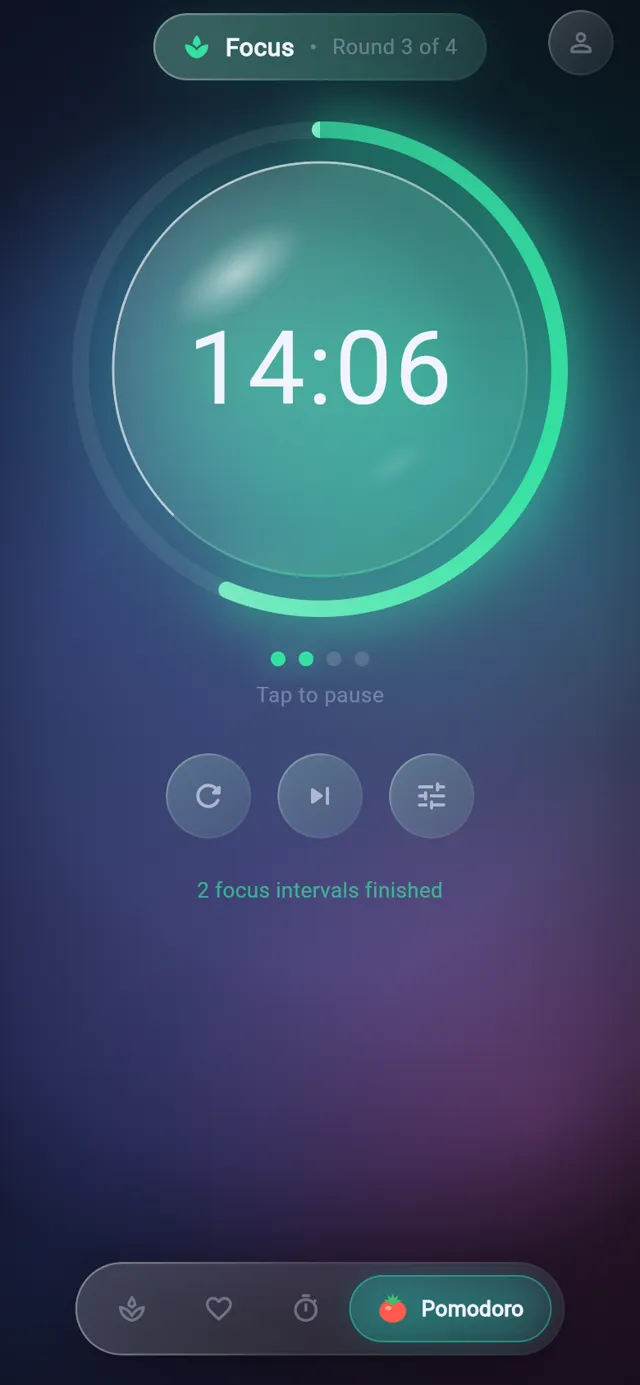
Focus, short break and long break run in order, with a long break after a set number of focus rounds. Only finished focus intervals count towards the long break, so skipping one does not bring the break forward.

  • Focus up to 180 minutes, short breaks up to 60 and long breaks up to 120
  • Choose 2 to 8 rounds per set
  • Breaks start on their own by default and focus waits for a tap, and both can be changed
  • Restart the current interval, skip to the next one or reset the whole cycle
  • Round dots and a count of finished focus intervals show where you are
A pomodoro cycle with long breaks
05Stopwatch

Several stopwatches, each with laps

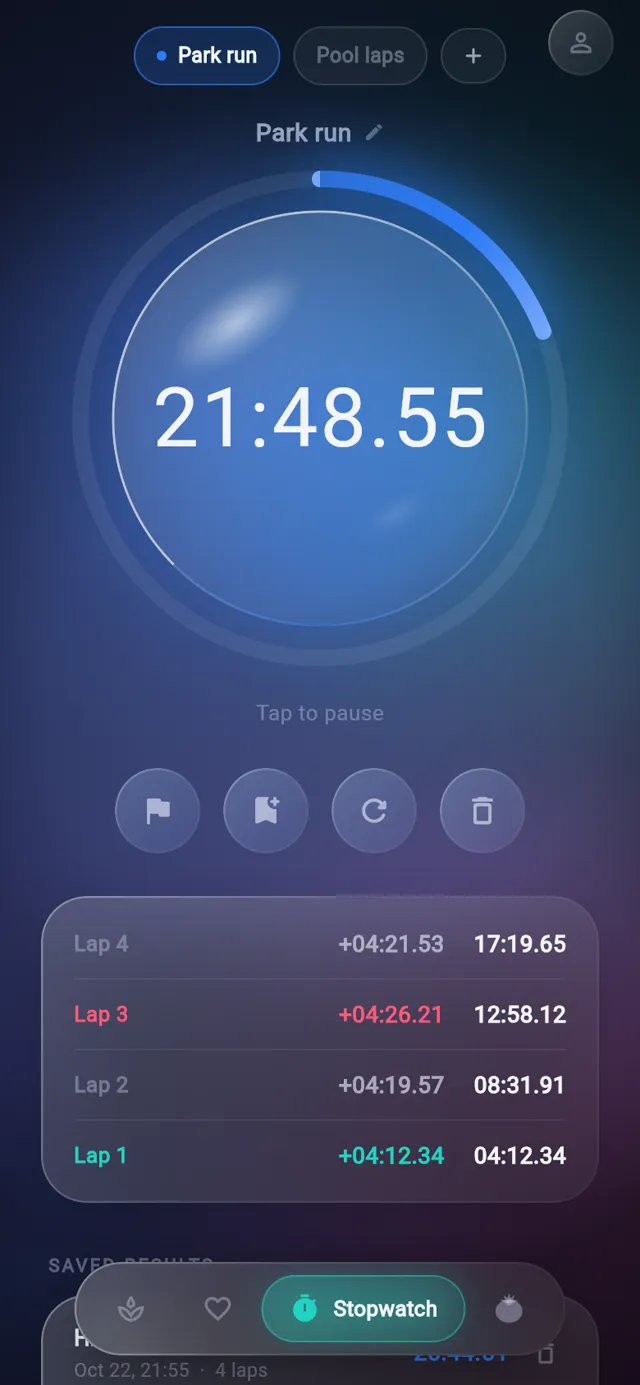
Keep more than one stopwatch, each with its own name, and switch between them from the chips at the top. The lap list shows each split and the running total, with the fastest lap in green and the slowest in red.

  • Lap, save, reset and delete buttons sit under the dial
  • Tap the name to rename a stopwatch
  • The ring sweeps once a minute, like a second hand
  • A running stopwatch is still running when you reopen the app
Several stopwatches, each with laps
06Results

Saved results with every lap

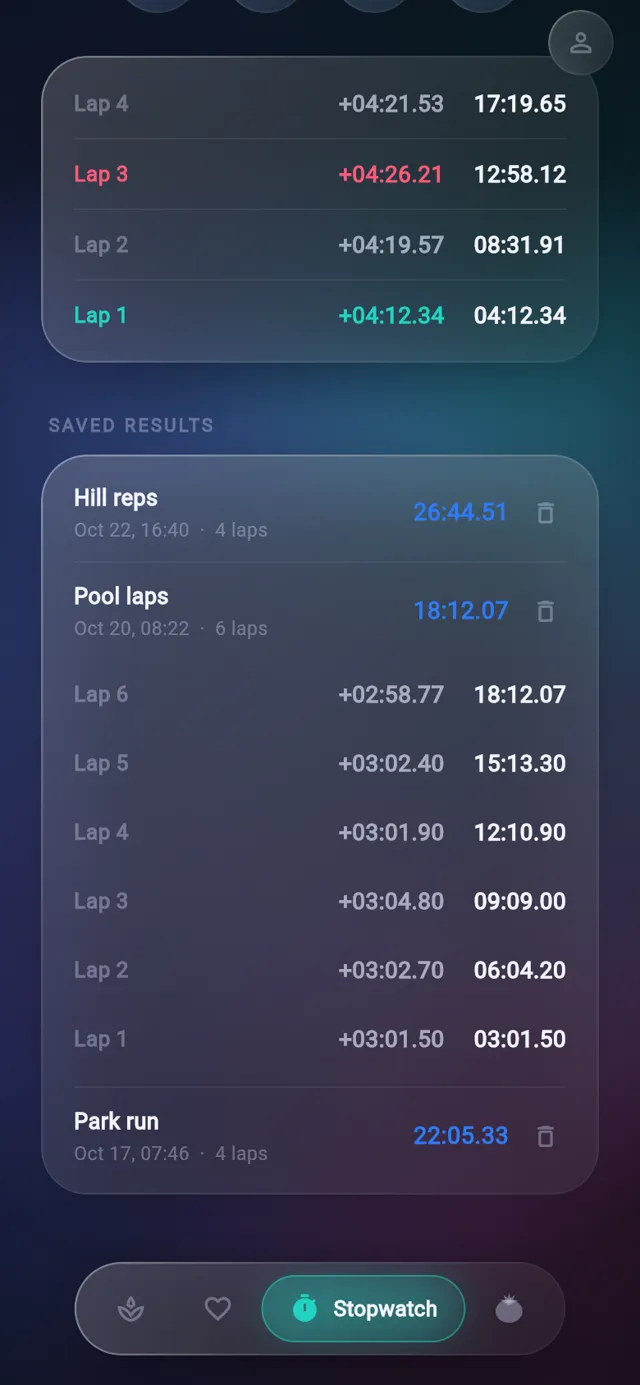
Save a stopwatch reading to keep its total and all its laps. Results are listed newest first with the date and lap count, and a row opens to show every lap.

  • Save a result while the stopwatch is running or paused
  • Remove a result with its bin icon
  • Results follow your account when you are signed in
Saved results with every lap
02Screens

The tour

Real screens from Bonsai Timer, filled with sample data.

Eight timers on the board, some running and some paused, each with its own colour.

Eight timers on the board, some running and some paused, each with its own colour.

03Details

Also in Bonsai Timer

Optional sign-in, with no account needed to use any feature
A timer started on one signed-in device counts down on your others
Pausing or stopping a synced timer on one device updates the rest
On first sign-in an empty account takes on the library already on the device
Pomodoro settings changes only apply when you press Save
A note confirms when a timer has been saved to the library
Haptic feedback on taps and long presses
A fresh board starts with one timer ready to tap
On macOS the window has a transparent title bar so the background runs edge to edge
04Email

Get the newsletter

An email when there is news about Bonsai Timer, a new app comes out or a new Journal post goes up.

05More

Other apps

Katana TasksNinja NotesOrigami JournalRoninAbacusObeliskLyric BirdTandentZensei