All apps Obelisk app icon

Obelisk

A plotting board and writing desk for novelists

Obelisk lays a novel out as a grid of chapters and characters, with scene cards where each character's thread crosses each chapter. The manuscript, character profiles, world notes, maps and a screenplay sit in the same project file, so it suits writers who plan before and while they draft.

macOSiOSAndroidWorks offline
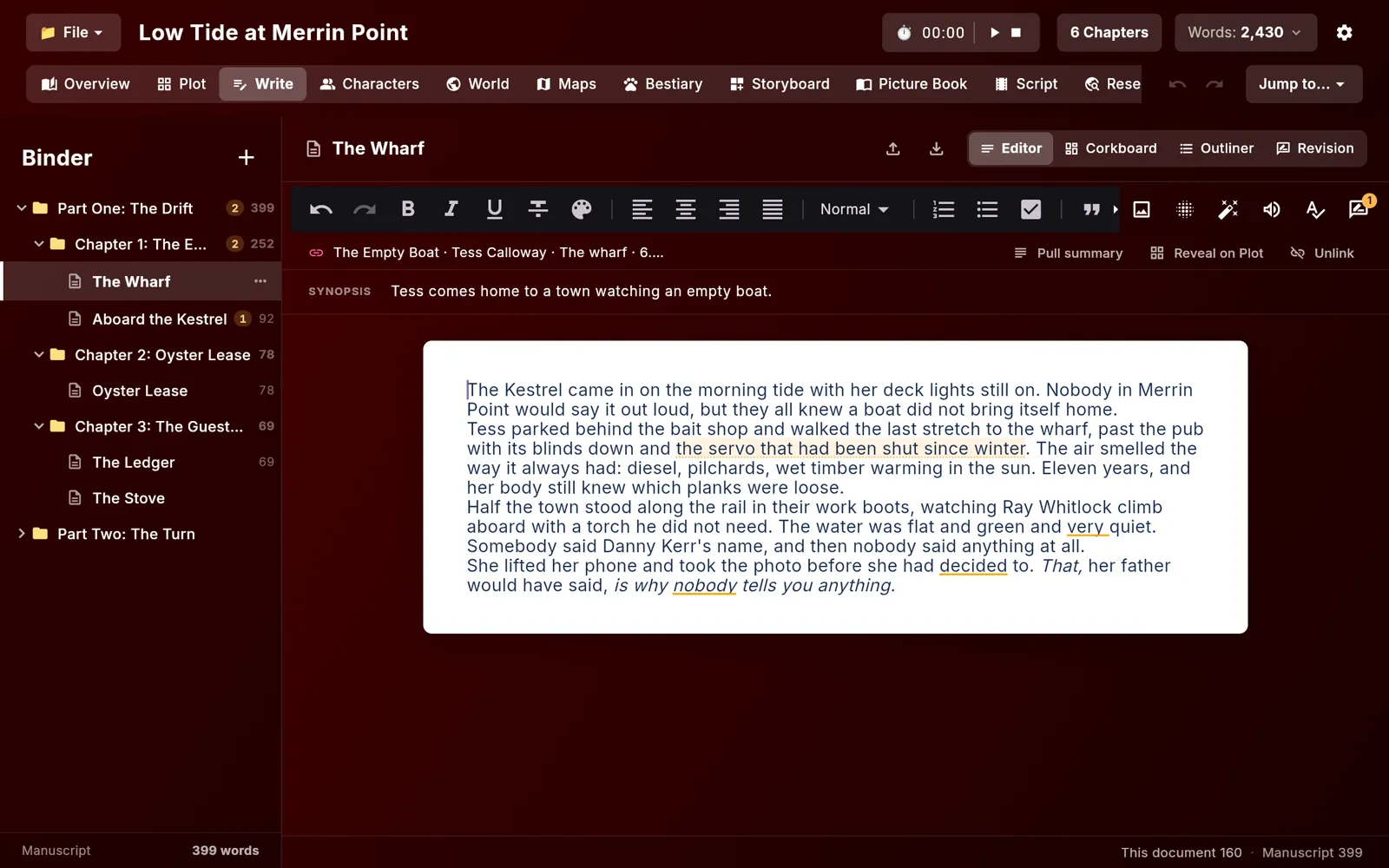
Obelisk on desktop
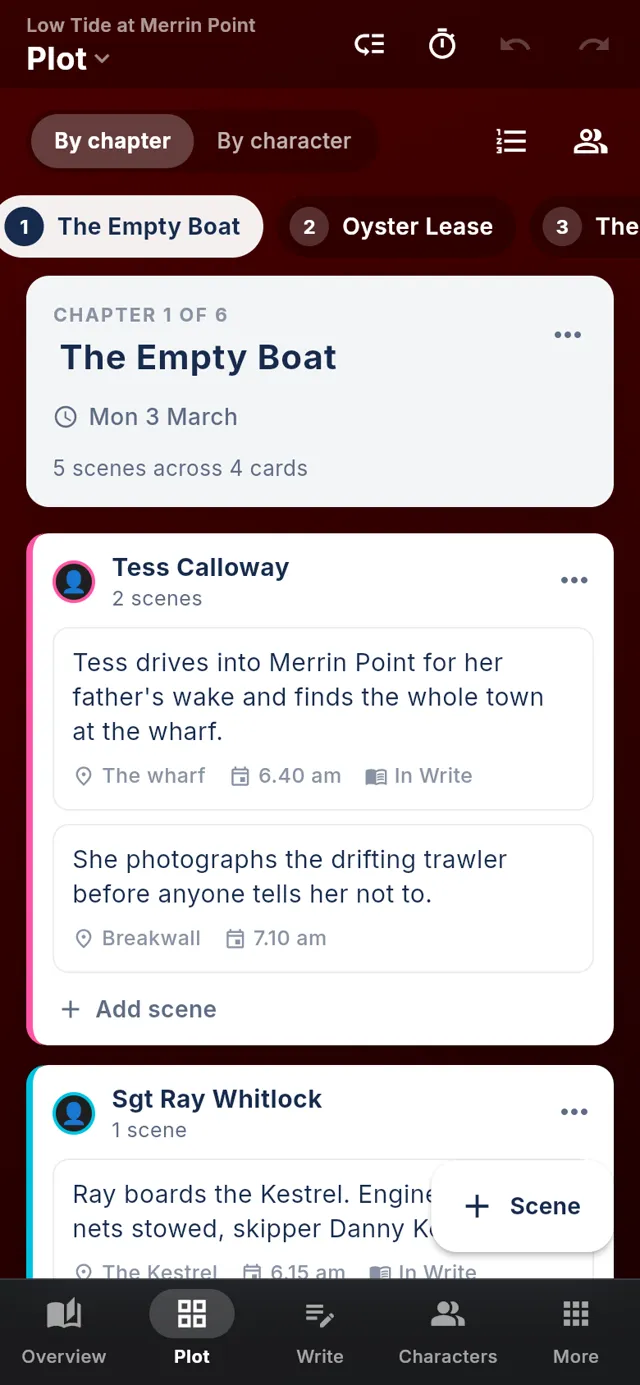
Obelisk on a phone
13tabs in each project
10worldbuilding categories
15offline writing lenses
165map symbols included
01Features

What it does

Projects are .osk files on your own disk that save automatically, and with an account you can move a project to the cloud, where it lives in a local database that works offline and syncs to your other devices in the background.

01Plot

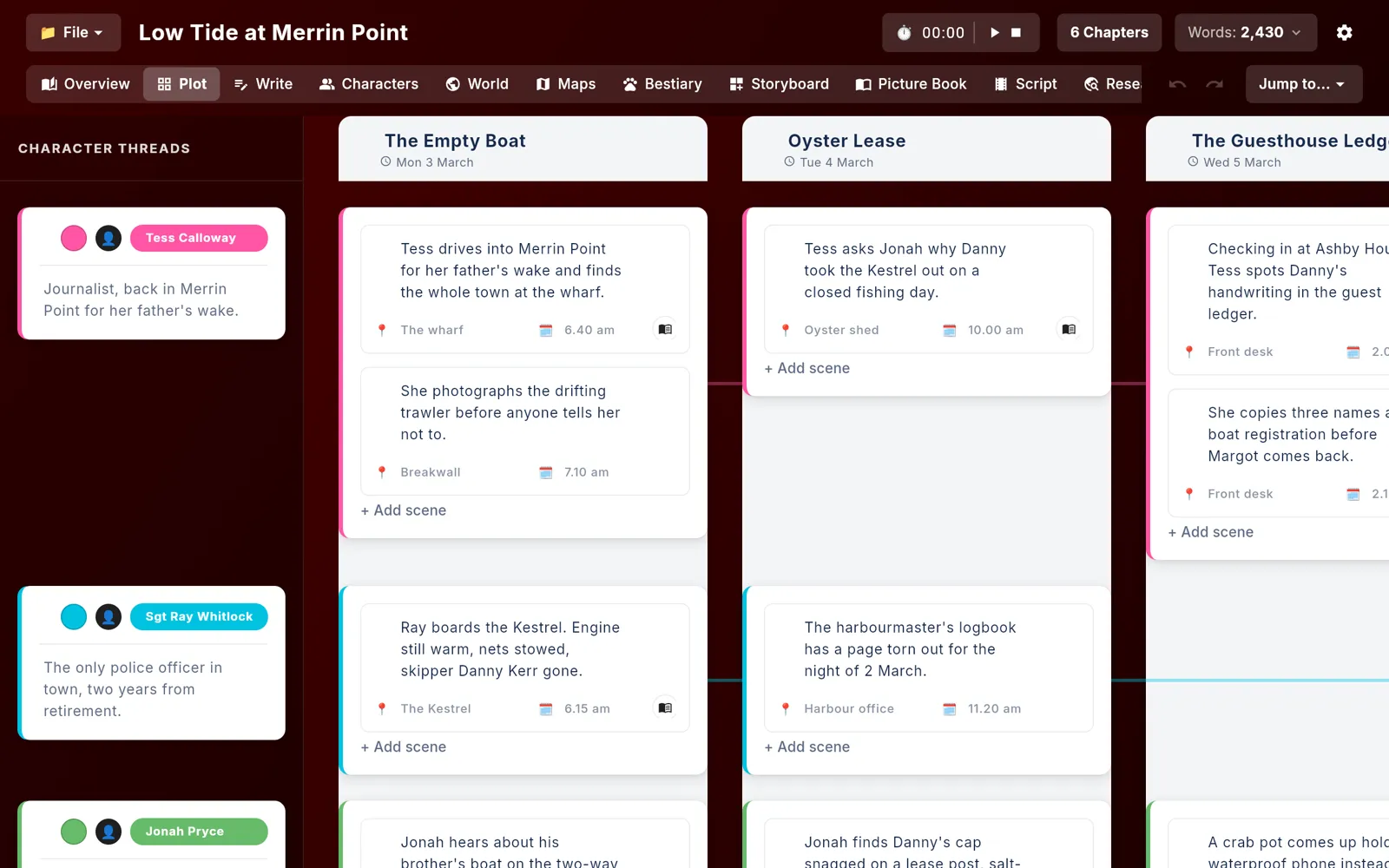
Every character's arc on one board

Chapters run across the top and character threads run down the side, and each crossing holds a card of scenes. Coloured thread lines link a character's cards from chapter to chapter, so you can see who goes quiet for half the book.

  • Each scene has a summary, location and time, plus a full-text editor
  • Drag scenes between cards, or drag a whole card to another cell
  • Reorder chapters and characters with grip handles
  • Chapters carry a date on the story's own calendar
  • Undo and redo cover every edit, including drags
Every character's arc on one board
02Write

A manuscript tied to the plan

The Write tab has a binder of folders and documents, a rich-text editor, a corkboard of synopsis cards and an outliner. A document can be linked to a scene on the board, and you can jump between the two.

  • Status labels per document, such as Draft or Revise, and word counts on every binder row
  • Offline spell check, and grammar checking on the Mac in English variants including Australian
  • Style suggestions underline filler words and telling words
  • Definitions, synonyms and rhymes from bundled dictionaries
  • Import .docx, .md, .txt or .html and export PDF, .docx, .md or .txt
A manuscript tied to the plan
03Revision

Notes pinned to the words they're about

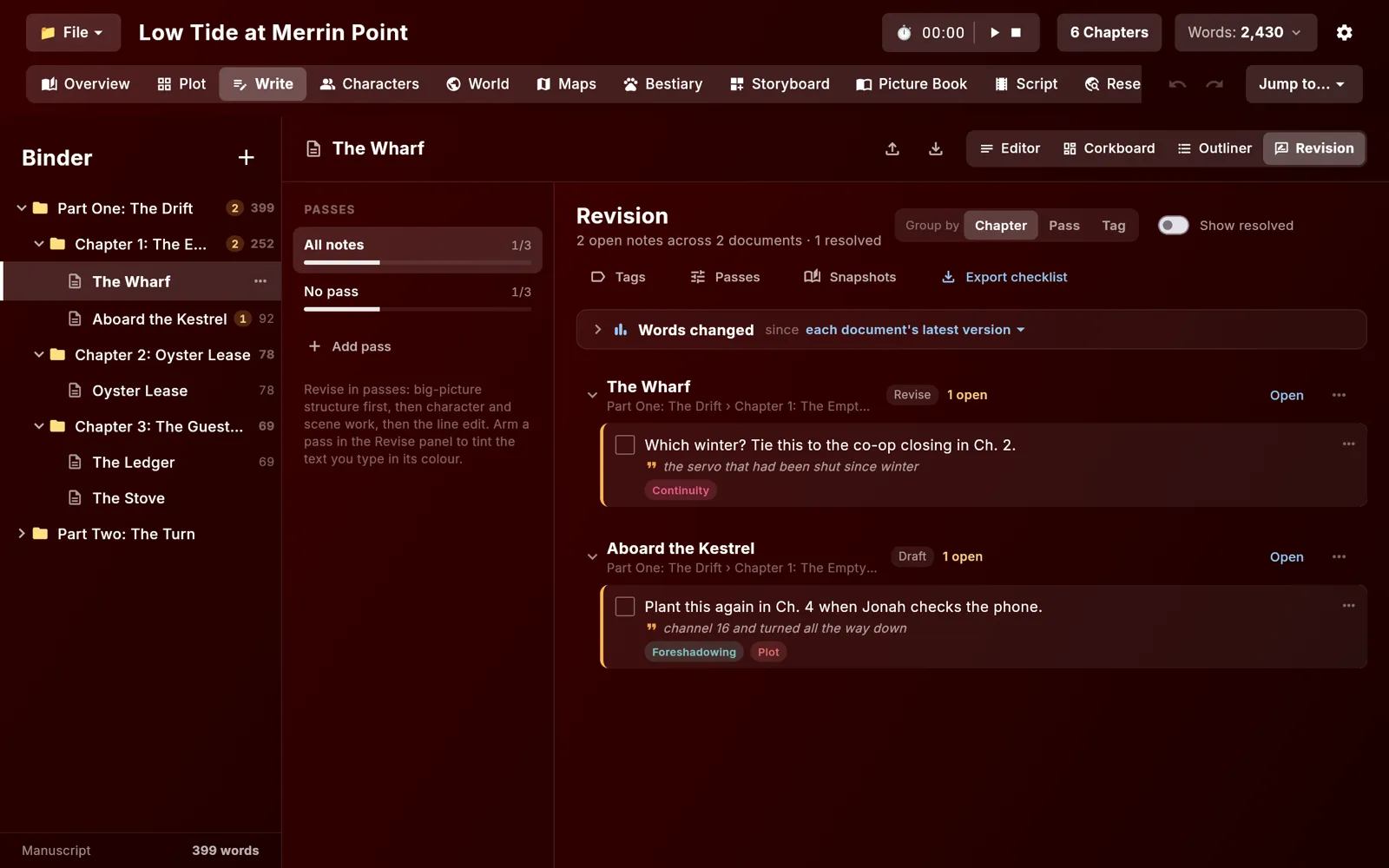
Revision notes attach to a passage of text and carry tags such as Continuity or Plot. The Revision view groups open notes by chapter, pass or tag, and ticks them off as you fix them.

  • Revision passes, so structure, character and line edits stay separate
  • Whole-book snapshots and saved versions of each document
  • Words-changed figures since the last version
  • Export the open notes as a checklist
Notes pinned to the words they're about
04Characters

Profiles that match the board

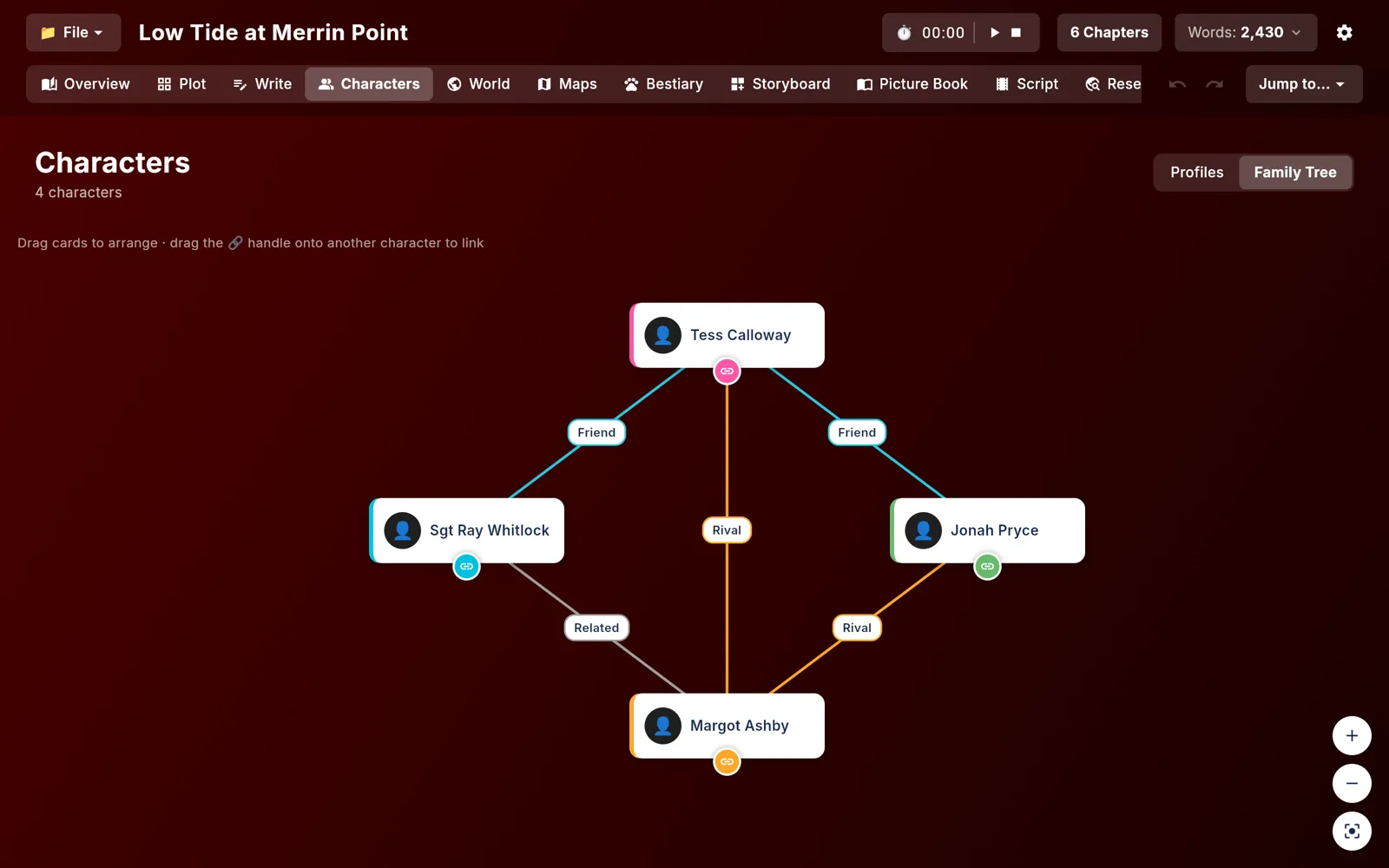
The characters on the Characters tab are the same people as the board's threads. Each has a story role and a long profile covering demographics, appearance, psychology, story arc, relationships and skills.

  • Roles include protagonist, antagonist, foil and mentor
  • Story arc fields for the wound, starting state, turning point and ending
  • A family tree canvas where you drag one character onto another to link them
  • Seven relationship types, from parent and spouse to rival
Profiles that match the board
05World and maps

Places, factions and a map to put them on

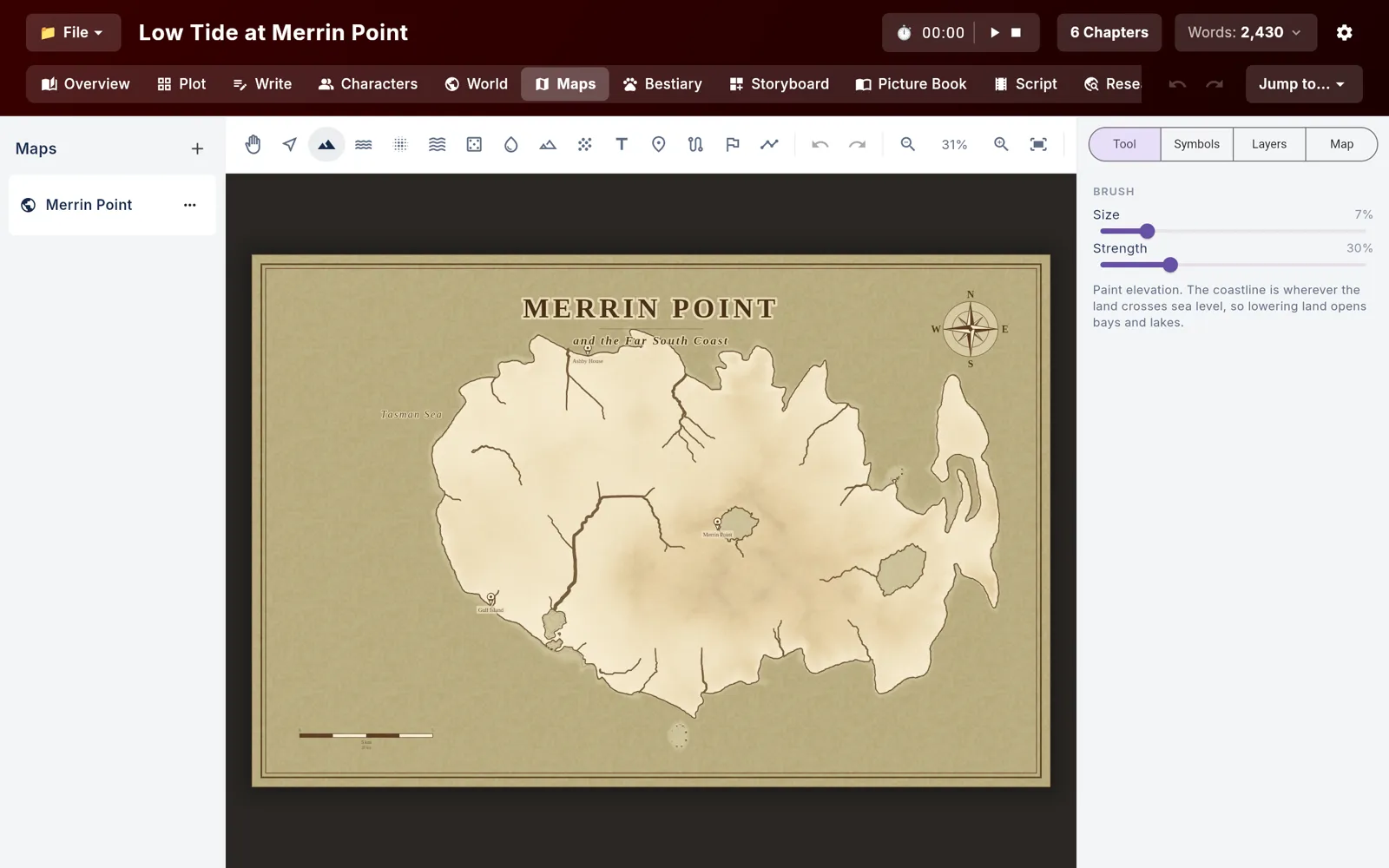
The World tab sorts entries into ten categories, from locations and factions to history and law, each with its own set of fields. The Maps tab builds a terrain map you can paint, label and pin, and each pin can open the world entry for that place.

  • Generated terrain with rivers, then a brush to raise or lower land
  • Four map themes and a bundled symbol pack
  • Routes measured against the terrain they cross, for distance and travel days
  • Title, compass, scale bar and border on the map itself
Places, factions and a map to put them on
06Script

A screenplay in standard layout

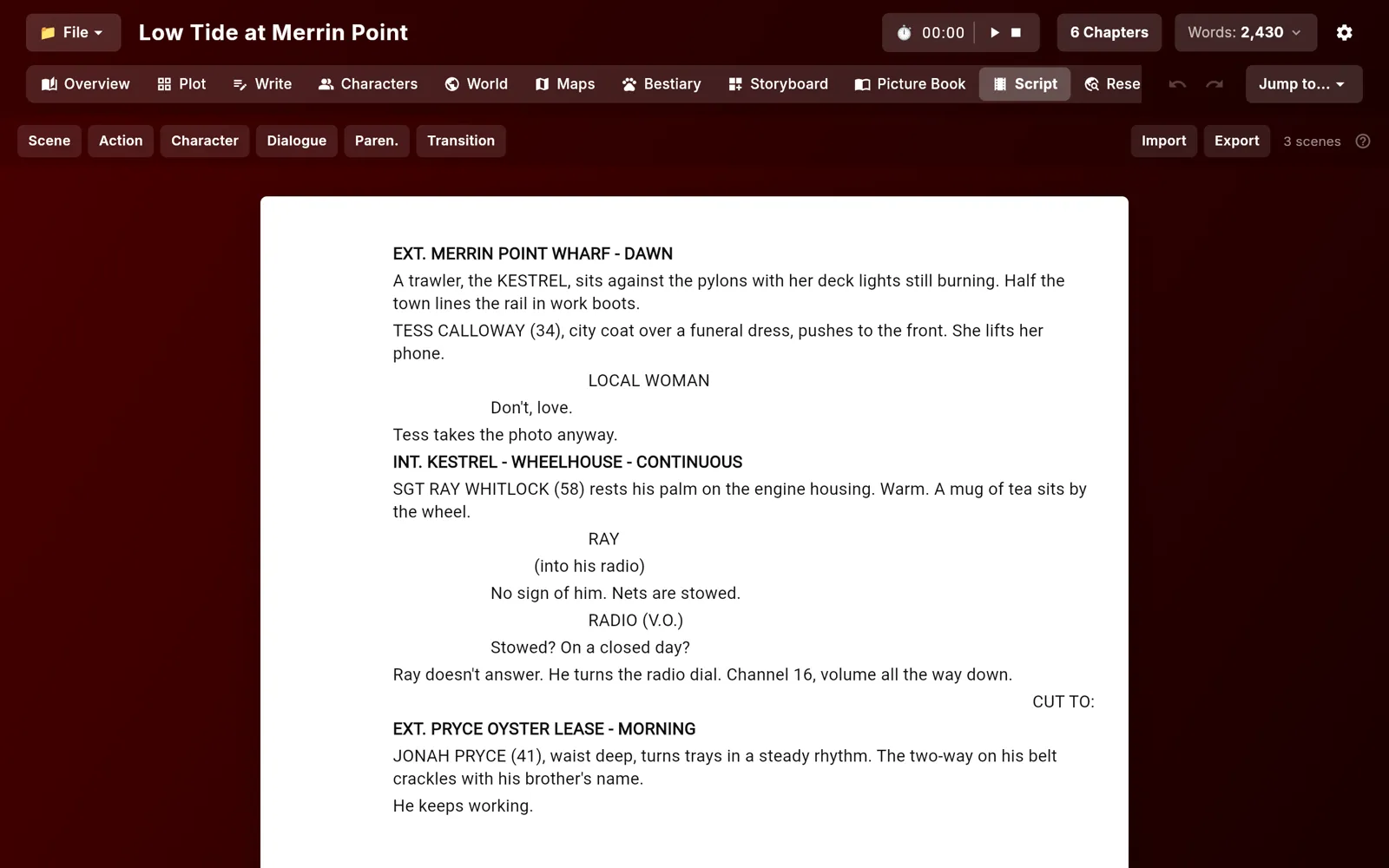
The Script tab formats scene headings, action, character names, parentheticals, dialogue and transitions the way Final Draft does. It sits in the same project as the novel, with the same characters.

  • Import Final Draft (.fdx), Fountain or plain text
  • Export PDF in industry layout, .fdx or Fountain
  • A Storyboard tab with shot cards and a shot list
A screenplay in standard layout
02Screens

The tour

Real screens from Obelisk, filled with sample data.

Chapters across, characters down, with a card of scenes where they meet.

Chapters across, characters down, with a card of scenes where they meet.

03Details

Also in Obelisk

Phones get their own layout with a bottom tab bar
Light and dark card themes, and a background gradient you can build
Writing-session timer, word count and chapter goal in the toolbar
Backups of the previous version every five minutes, ten kept per project
Images are embedded in the .osk file, so a project moves between machines in one piece
Read-aloud with an on-device voice model that downloads once on first use
Notebook pages with typed blocks, ink strokes and on-device transcription of voice notes
A Research tab that opens PDFs inside the app
A Bestiary tab and a Picture Book tab that exports to PDF
Jump to any chapter from the toolbar
04Email

Get the newsletter

An email when there is news about Obelisk, a new app comes out or a new Journal post goes up.

05More

Other apps

Katana TasksNinja NotesOrigami JournalRoninBonsai TimerAbacusLyric BirdTandentZensei